#### router/index.ts文件import { createRouter, RouteRecordRaw, createWebHashHistory } from 'vue-router'const routes: Array<RouteRecordRaw> = [ { path: '/', name: 'home', //这里的name component:()=>import('../pages/test/test.vue') }, { path: '/home', name: 'home', //这里的name component:()=>import('../pages/home/home.vue') },]const router = createRouter({ history:createWebHashHistory(), //哈希值模式 routes})// 暴露出去export default router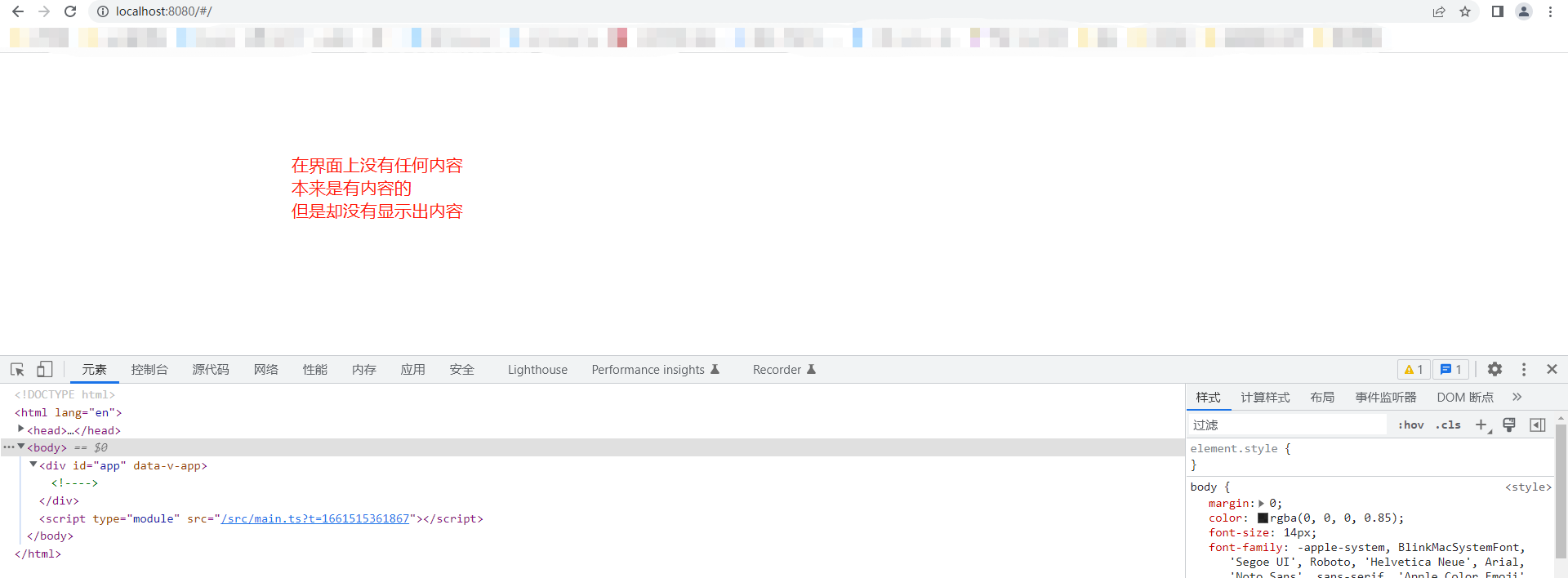
在控制台出现,找不对应的路径 No match found for location with path "/"在浏览器上出现空白页面。是因为你的路由 name字段重复导致的。1.路由中的name应该是唯一值,不应该重复。router-link 中的to属性通过name的值可以进行路由跳转<template> <router-link :to="{name:'home'}">去测试页面</router-link> <router-view></router-view></template>const routes: Array<RouteRecordRaw> = [ { path: '/home', name: 'home', //这个name应该是唯一值 component:()=>import('../pages/home/home.vue') },]a标签通过 <a href="/home">进行跳转的时候。整个页面会重新刷新(左上角的圈圈会刷新),页面会闪一下router-link 进行跳转的时候整个页面不会重新刷新 [页面不会闪一下]就是说A页面跳转到B页面的时候。不保留A页面的历史记录。我们可以通过router.replace('/b')let paramsinfo = { name: 'zs', age:13}const gotosPage = () => { router.push({ path: '/home', query: paramsinfo })}query传递参数的时候是只能够是一个对象。query传递参数的时候在地址栏会自动给你使用"?和&链接"接受参数的时候通过 route.query.xxxparmas传递参数的时候,不会在地址栏展示。它是通过内存来传递参数的。router.push({ name:'你路由中的name', parmas:'是一个对象'})接受参数的时候route.params.xxx需要注意的是:由于它是通过内存来传递参数的,在接受页面刷新的时候,参数肯定会丢失的。可以通过动态路由传递参数来解决#### index.ts文件{ path: '/', name: 'test', component:()=>import('../pages/test/test.vue')},{ path: '/home/:idkey', //注意这里的idkey name: 'Home', component:()=>import('../pages/home/home.vue')}#### 跳转到home页面const gotosPage = (mess) => { router.push({ name: 'Home', params: { //必须和路由路径中的idkey保持一致 idkey: mess.id } })}#### 接受参数import { useRoute } from 'vue-router'let route = useRoute()console.log(route.params.idkey)当我们从列表页进入详情页的时候,就可以使用动态路由参数来解决这个问题
index.ts文件{ path: '/aa', name: 'Aa', component: () => import('../pages/aa/aa.vue'), children: [ { path: '/user1', components: { default:()=> import("../components/user1.vue") } }, { path: '/user2', components: { Bb2: () => import("../components/user2.vue"), Bb3:()=> import("../components/user3.vue") } } ]}aa.vue文件<template> <div> <h2>父页面</h2> <router-link to="/user1" >user1</router-link> <router-link to="/user2">user2</router-link> <router-view></router-view> <router-view name="Bb2"></router-view> <router-view name="Bb3"></router-view> </div></template>当地址栏是user1的时候,默认展示的是user1这个页面。当地址栏是user2的时候,默认展示的是user2和user2这两个页面
redirect的值可以是一个字符串,也可以是一个回调函数。index.ts文件{ path: '/aa', name: 'Aa', //重定向到user1。并且携带了参数 redirect: () => { return { path: '/user1', query: { name:'zs' } } }, component: () => import('../pages/aa/aa.vue'), children: [ { path: '/user1', components: { default:()=> import("../components/user1.vue") } }, { path: '/user2', components: { Bb2: () => import("../components/user2.vue"), Bb3:()=> import("../components/user3.vue") } } ]},
{ path: '/', alias:['/a1','/a2'], name: 'test', component:()=>import('../pages/test/test.vue')}路径不同,但是访问的都是同一个组件。
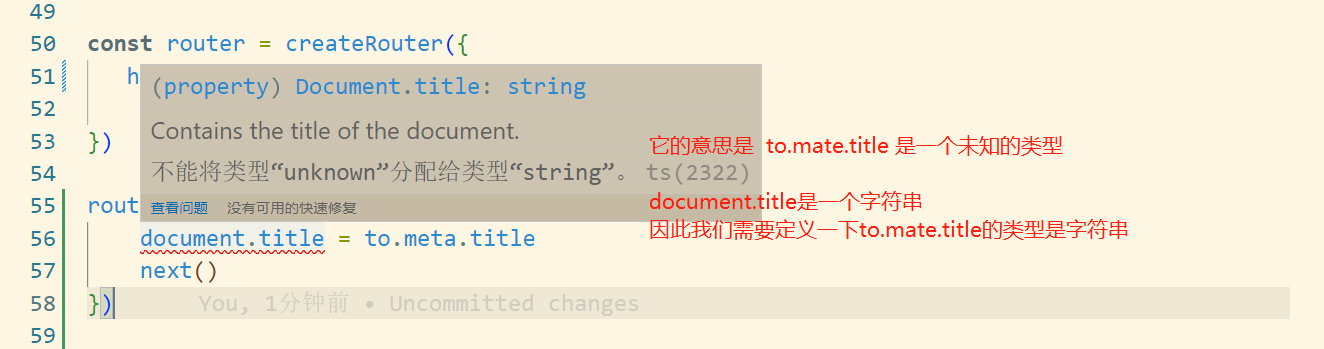
main.ts文件router.beforeEach((to,from,next) => { document.title = to.meta.title next()})//有ts报错信息不能将类型“unknown”分配给类型“string”。在index.ts文件//中定义路由title的类型declare module 'vue-router' { interface RouteMeta{ title:string }}animate.css的地址: https://animate.style/ 第一步:下载 cnpm install animate.css --save因为等会我们的动画效果将会使用这个库第二步:在index.ts文件中设置动画样式//这里我们使用的是 animate__fadeIn 渐入的效果import { createRouter, RouteRecordRaw, createWebHashHistory } from 'vue-router'// 定义类型declare module 'vue-router' { interface RouteMeta{ title: string, transition ?:string }}const routes: Array<RouteRecordRaw> = [ { path: '/', name: 'test', meta: { title: '首页', //动画效果渐入 transition:"animate__fadeIn", }, component:()=>import('../pages/test/test.vue') },]const router = createRouter({ history:createWebHashHistory(), //哈希值模式 routes})// 暴露出去export default router第三步使用动画效果 app.vue文件中<template> <router-view #default="{ route, Component }"> <!-- 使用方法,在class里加上类animate__animated与任何动画名称一起添加到元素,此处为渐入的效果 --> <transition :enter-active-> <component :is="Component"></component> </transition> </router-view></template><script lang="ts" setup>//引入动画库import 'animate.css';</script>
A页面有滚动条,在距离顶部400px的地方。点击按钮前往了B页面。当B页面做完一些操作后,返回A页面。滚动条仍然在400px的地方。index.ts文件const router = createRouter({ history: createWebHashHistory(), //哈希值模式 // 路由滚动 scrollBehavior: (to, from, savePosition) => { // 记录滚动条滚动到的位置 if (savePosition && savePosition.top) { return savePosition } else { return { top:0 } } }, routes})scrollBehavior也是支持异步的const router = createRouter({ history: createWebHashHistory(), //哈希值模式 // 路由滚动 scrollBehavior: (to, from, savePosition) => { // 记录滚动条滚动到的位置 return new Promise((resolve) => { setTimeout(() => { resolve({ top:500 }) },1500) }) }, routes})
想问问题,打赏了卑微的博主,求求你备注一下的扣扣或者微信;这样我好联系你;(っ??ω??)っ???!
如果觉得这篇文章对你有小小的帮助的话,记得在右下角点个“推荐”哦,或者关注博主,在此感谢!
万水千山总是情,打赏5毛买辣条行不行,所以如果你心情还比较高兴,也是可以扫码打赏博主(っ??ω??)っ???!
想问问题,打赏了卑微的博主,求求你备注一下的扣扣或者微信;这样我好联系你;(っ??ω??)っ???!


