Gitea,一款极易搭建的Git自助服务。如其名,Git with a cup of tea。跨平台的开源服务,支持Linux、Windows、macOS和ARM平台。配置要求低,甚至可以运行在树莓派上。

搭建之前,首先提示两个坑:
1、gitea不支持Centos6和更早的版本内核。
2、gitea不能在root下运行,必须是普通用户权限。
我这边是物理主机服务器,安装的Centos7。
[xxx@localhost ~]# cat /etc/redhat-releaseCentOS Linux release 7.9.2009 (Core)[xxx@localhost ~]# uname -srLinux 3.10.0-1160.62.1.el7.x86_64
这个很简单,直接去官网下载二进制或者去github上下载。
[xxx@localhost gitea]# wget -O gitea https://dl.gitea.io/gitea/1.16.8/gitea-1.16.8-linux-amd64[xxx@localhost gitea]# chmod +x gitea这里我用二进制方式运行的。也可以用docker方式运行。
安装git,并配置环境变量,否则失败。
[xxx@localhost data]# yum install git创建一个git用户,专门用来管理git相关服务。
sudo useradd \ --system \ --shell /bin/bash \ --comment 'Git Version Control' \ --create-home \ --home /home/git \ git[xxx@localhost data]# passwd gitChanging password for user git.New password:
创建gitea工作目录:
[xxx@localhost data]# pwd/data[xxx@localhost data]# mkdir gitea[xxx@localhost data]# chown -R git:git gitea/[xxx@localhost data]# ls -lthtotal 0drwxr-xr-x 2 git git 6 Jun 1 16:02 gitea创建gitea 可执行文件存放目录
[xxx@localhost opt]# chown -R git:git gitea/[xxx@localhost opt]# ls -lthtotal 0drwxr-xr-x 2 git git 19 May 31 16:34 gitea
[xxx@localhost gitea]$ ./gitea web从web打开 http://服务器IP:3000/ ,可进行配置更改和安装。
下载服务配置文件
sudo wget https://raw.githubusercontent.com/go-gitea/gitea/master/contrib/systemd/gitea.service -P /etc/systemd/system/更改gitea配置文件
[xxx@localhost system]# vim /etc/systemd/system/gitea.service# 更改路径如下:WorkingDirectory=/data/gitea/# If using Unix socket: tells systemd to create the /run/gitea folder, which will contain the gitea.sock file# (manually creating /run/gitea doesn't work, because it would not persist across reboots)#RuntimeDirectory=giteaExecStart=/opt/gitea/gitea web --config /data/gitea/app.iniRestart=alwaysEnvironment=USER=git HOME=/home/git GITEA_WORK_DIR=/data/gitea启动gitea服务
[xxx@localhost opt]# systemctl daemon-reload[xxx@localhost opt]# systemctl enable --now gitea[xxx@localhost opt]#[xxx@localhost opt]# systemctl status gitea● gitea.service - Gitea (Git with a cup of tea) Loaded: loaded (/etc/systemd/system/gitea.service; enabled; vendor preset: disabled) Active: active (running) since Wed 2022-06-01 17:19:01 CST; 3s ago Main PID: 10567 (gitea) Tasks: 29 Memory: 153.5M CGroup: /system.slice/gitea.service └─10567 /opt/gitea/gitea web --config /data/gitea/app.iniJun 01 17:19:01 localhost.localdomain gitea[10567]: 2022/06/01 17:19:01 ...s/install/setting.go:21:PreloadSettings() [I] AppPa.../giteaJun 01 17:19:01 localhost.localdomain gitea[10567]: 2022/06/01 17:19:01 ...s/install/setting.go:22:PreloadSettings() [I] AppWo.../giteaJun 01 17:19:01 localhost.localdomain gitea[10567]: 2022/06/01 17:19:01 ...s/install/setting.go:23:PreloadSettings() [I] Custo...customJun 01 17:19:01 localhost.localdomain gitea[10567]: 2022/06/01 17:19:01 ...s/install/setting.go:24:PreloadSettings() [I] Log p...ea/logJun 01 17:19:01 localhost.localdomain gitea[10567]: 2022/06/01 17:19:01 ...s/install/setting.go:25:PreloadSettings() [I] Confi...pp.iniJun 01 17:19:01 localhost.localdomain gitea[10567]: 2022/06/01 17:19:01 ...s/install/setting.go:26:PreloadSettings() [I] Prepa...l pageJun 01 17:19:01 localhost.localdomain gitea[10567]: 2022/06/01 17:19:01 ...s/install/setting.go:29:PreloadSettings() [I] SQLit...portedJun 01 17:19:02 localhost.localdomain gitea[10567]: 2022/06/01 17:19:02 cmd/web.go:208:listen() [I] Listen: http://0.0.0.0:3000Jun 01 17:19:02 localhost.localdomain gitea[10567]: 2022/06/01 17:19:02 cmd/web.go:212:listen() [I] AppURL(ROOT_URL): http://l...:3000/Jun 01 17:19:02 localhost.localdomain gitea[10567]: 2022/06/01 17:19:02 ...s/graceful/server.go:61:NewServer() [I] Starting ne... 10567Hint: Some lines were ellipsized, use -l to show in full.其他的更改:
仓库根目录 /data/gitea/gitea-repositoriesLFS根目录 /data/gitea/lfs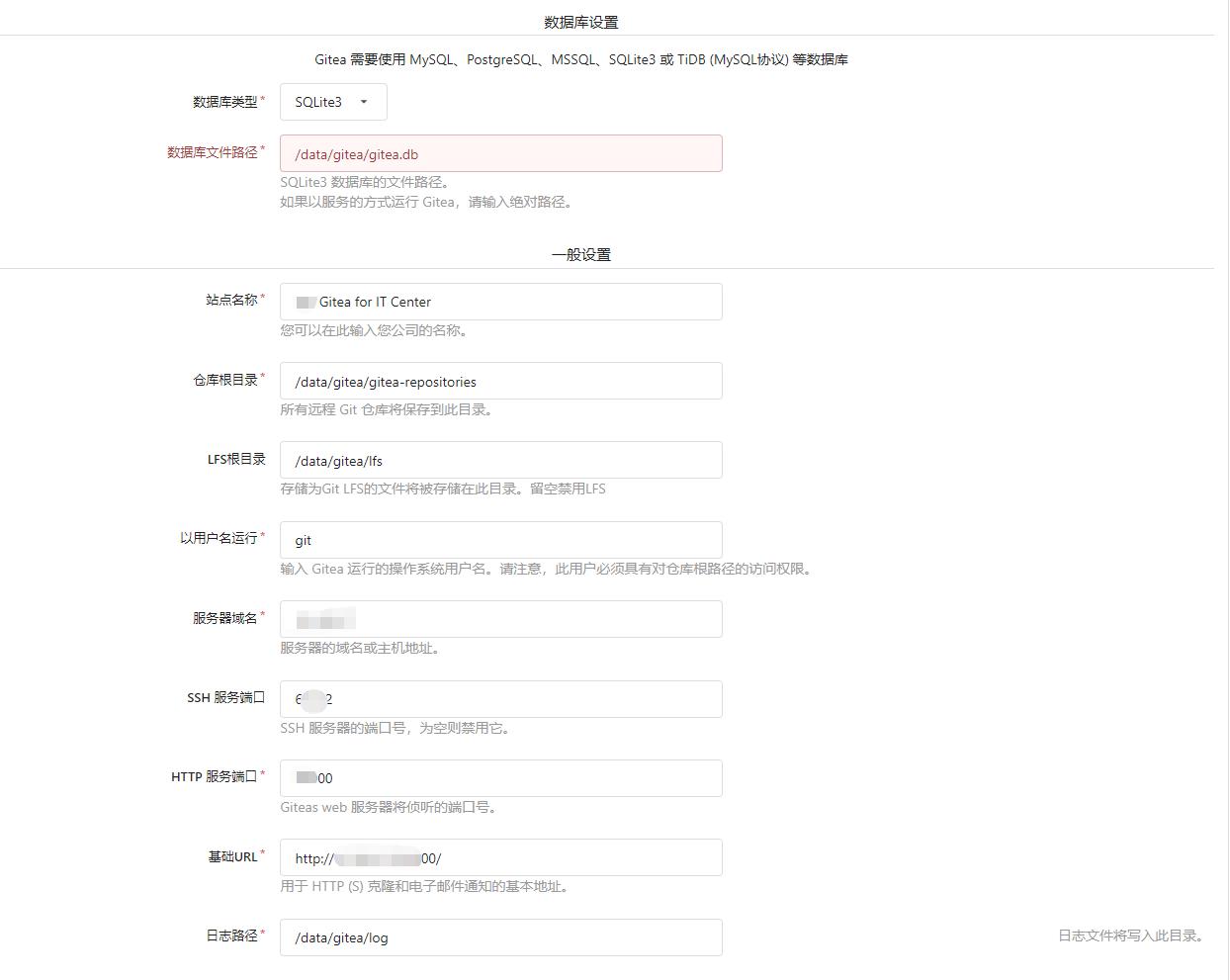
然后添加一个添加管理员账号:
用户名 youname密码 youcodeEmail: xxx@youmail.com点击开始安装,很快就搞定了。
由于更换了端口号,现在用浏览器打开新的地址
http://server_ip:new_port/
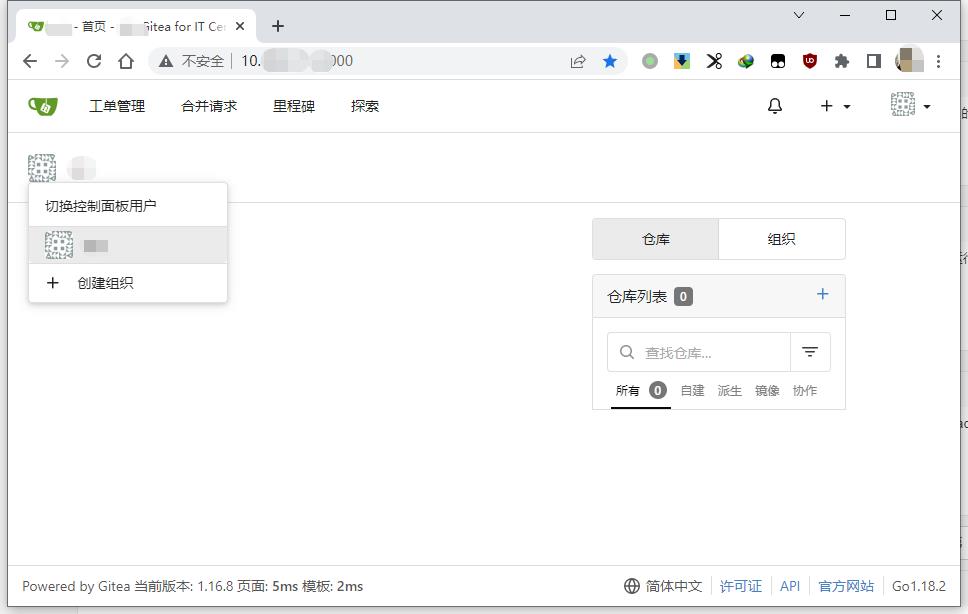
接下来,创建组织,创建团队,注册用户账号。玩起来。

