1. 概述
光环效应告诉我们:
当一个人在某一方面取得了巨大的成功,人们就会给他贴上正面的标签,这个人从此就被“优秀”的光环所笼罩,他做的一切,人们都认为是正确的。
例如:越是名气大的明星代言的商品,买的人就越多。
反之亦然,当一个人在某一方面失败了,往往就会被贴上负面的标签,从此被“失败”的“光环”所笼罩,他做的一切,周围人都认为是错误的。
例如:一个人第一次做生意就失败了,则这个人再做什么决策,他的朋友都认为是错误的。
因此,我们要理性判断,不能被“光环”影响我们的判断。
言归正传,今天我们来聊聊 VUE 的动画与过渡。
2.动画与过渡
2.1 基于 class 的动画
<style> /* 动画 */ @keyframes leftRight { 0% { transform: translateX(0px); } 33% { transform: translateX(-100px); } 66% { transform: translateX(100px); } 100% { transform: translateX(0px); } } .animation_leftRight { animation : leftRight 4s; } .center { text-align: center; } </style>
<body> <div id="myDiv"></div></body><script> const app = Vue.createApp({ data(){ return { animate : { animation_leftRight : false } } }, methods : { handleClick() { this.animate.animation_leftRight = !this.animate.animation_leftRight; } }, template:` <div class="center"> <div :class="animate">hello world</div> <button @click="handleClick">左右移动</button> </div> ` }); const vm = app.mount("#myDiv");</script>
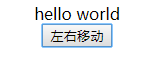
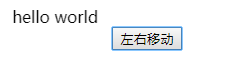
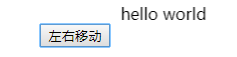
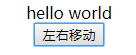
这个例子中,我们让 hello world 这段文字,在 4 秒钟的时间里,先向左移动,再向右移动,最后回到中间。
利用我们之前学的绑定 class 的方法,使用 : 将 class 样式与数据绑定,最终实现效果。
2.2 基于 class 的过渡
<style> /* 过渡 */ .transition { transition : 3s background-color ease; } .blue { background : blue; } .green { background : green; } </style>
const app = Vue.createApp({ data(){ return { transition : { transition : true, blue : true, green : false } } }, methods : { handleClick() { this.transition.blue = !this.transition.blue; this.transition.green = !this.transition.green; } }, template:` <div> <div :class="transition">hello world</div> </div> <button @click="handleClick">切换</button> ` });
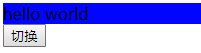
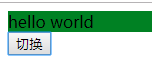
该例中,我们将 hello world 的背景色,由蓝色渐变成绿色,同样是使用了 :class 绑定数据的方式。
2.3 过渡与 Style 的绑定
const app = Vue.createApp({ data(){ return { styleObj : { background : 'blue' } } }, methods : { handleClick() { if(this.styleObj.background === 'blue') { this.styleObj.background = 'green'; } else { this.styleObj.background = 'blue'; } } }, template:` <div> <div class="transition" :style="styleObj">hello world</div> </div> <button @click="handleClick">切换</button> ` });
此例与上例的效果相同,只是使用 :style 的方式与数据绑定。
3. 综述
今天聊了一下 VUE3 的 动画与过渡的实现,希望可以对大家的工作有所帮助,下一节我们继续讲 Vue 中 动画 的相关知识,敬请期待
欢迎帮忙点赞、评论、转发、加关注 :)
关注追风人聊Java,这里干货满满,都是实战类技术文章,通俗易懂,轻松上手。
4. 个人公众号
追风人聊Java,欢迎大家关注


