ListView,在Unreal UI界面开发中用途非常广泛,基本只要你使用列表,就得需要用ListView。比如排行榜100个列表,界面上只需要显示出10个,我们肯定不能生成100个ui实例,只生成肉眼所见的实例个数,然后反复使用。直接上效果图。
通用WidgetReflector 得出Widget只生成4条。
/** Set the list of items to display within this listview */ template <typename ItemObjectT, typename AllocatorType = FDefaultAllocator> void SetListItems(const TArray<ItemObjectT, AllocatorType>& InListItems) { ClearListItems(); ListItems.Append(InListItems); OnItemsChanged(ListItems, TArray<UObject*>()); RequestRefresh(); }ListView的使用非常简单,只需调用这个方法即可。看参数,就是要传入 TArray 的Object类型即可。

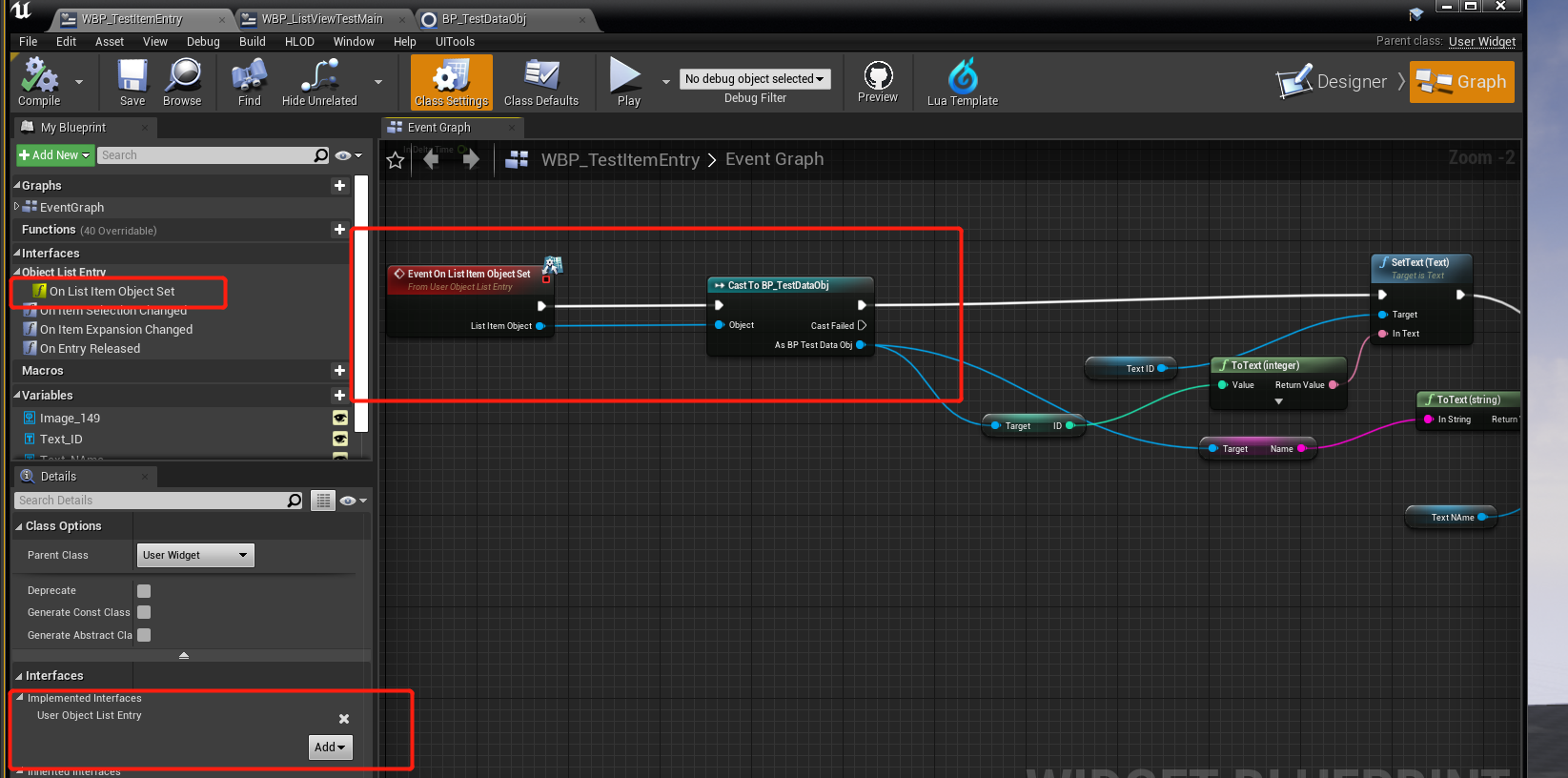
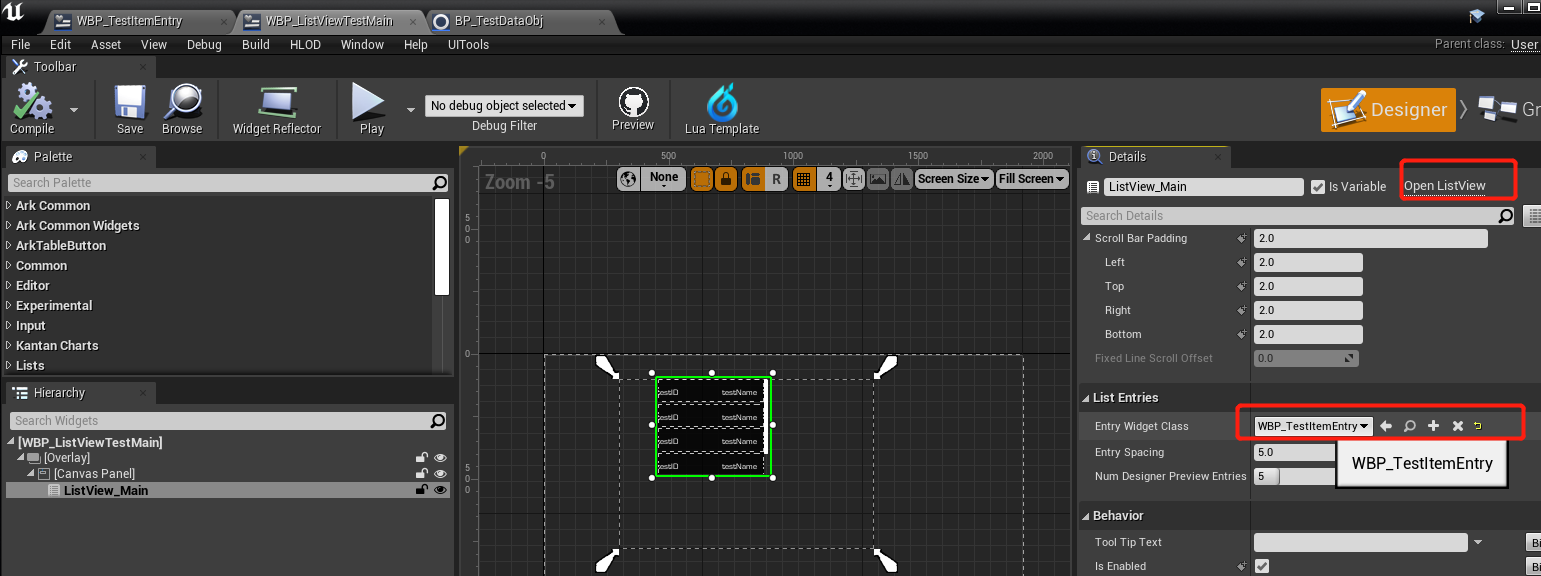
注意这里的EntryWidgetClass 能赋的必须是实现了上述第二个步骤的接口才能赋。。
4. 调用SetListItems接口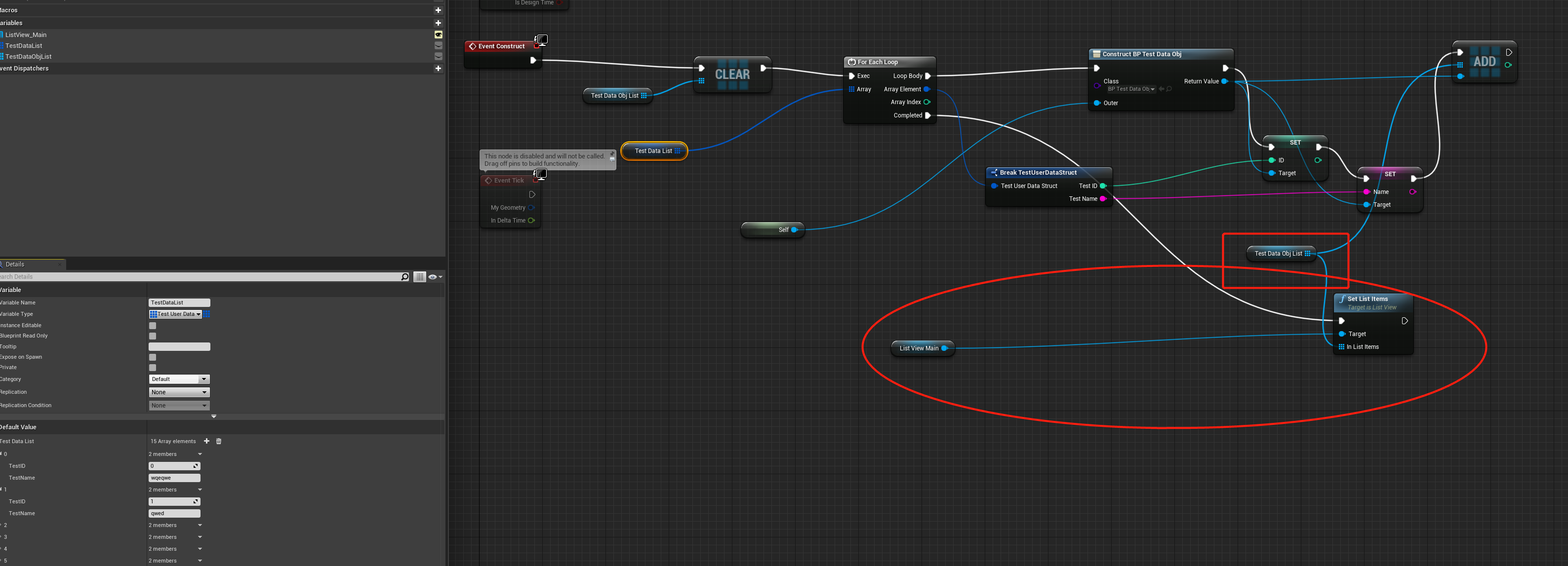
因为ListView的使用比较简单,就用蓝图摆摆了。
void UListView::ScrollIndexIntoView(int32 Index){ BP_ScrollItemIntoView(GetItemAt(Index));}

