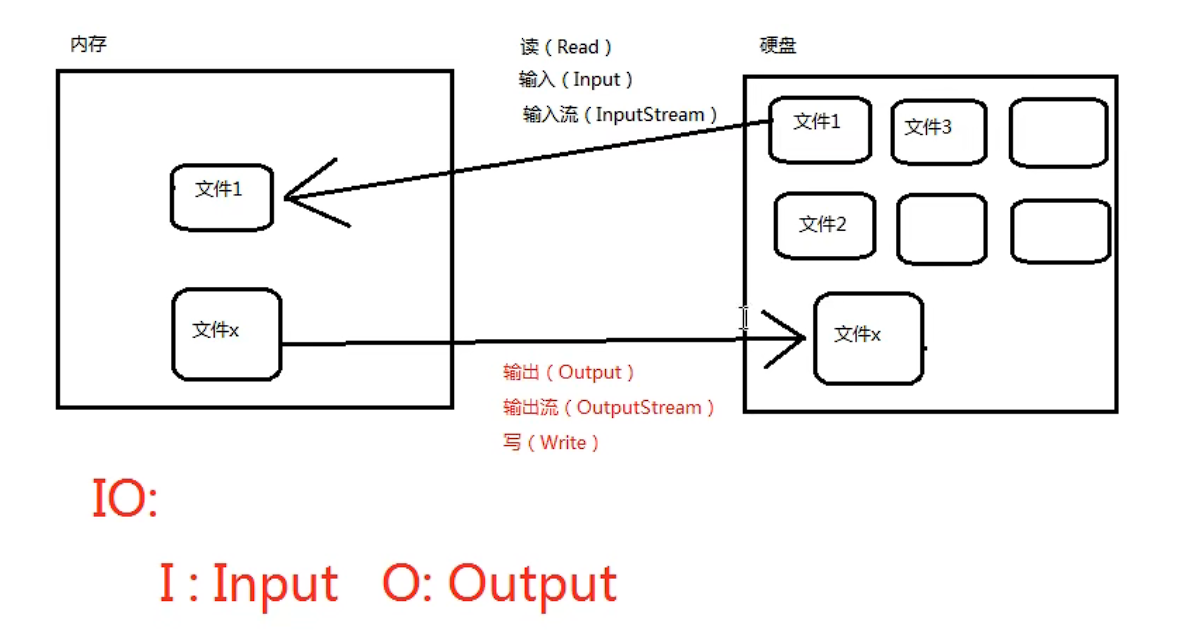
/**java.io.FileInputStream:* 1、文件字节输入流,万能的,任何类型的文件都可以采用这个流来读。* 2、字节的方式,完成输入的操作,完成读的操作(硬盘--->内存)*/public class Test1 { public static void main(String[] args) { FileInputStream file = null; try { //创建文件字节输入流对象 //idea会自动把\编辑\\。一个\表示转义 file = new FileInputStream("D:\\demo.txt"); //开始读 int readData = 0; while((readData = file.read()) != -1) System.out.println((char) readData); } catch (Exception e) { e.printStackTrace(); } finally { if(file != null) {//关闭流 try { file.close(); } catch (IOException e) { e.printStackTrace(); } } } }}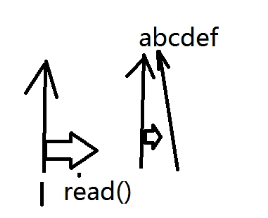
file = new FileInputStream("D:\\demo.txt");//这是使用byte数组一次性读取,效率更高 byte[] bytes = new byte[4]; int read = 0; while((read = file.read(bytes)) != -1) {//返回的是读取数量 System.out.println(new String(bytes,0,read)); }file.available(),然后将我们的byte数组长度设为这个,这样就不必使用循环了,一次性全部读完。但是此方式并不适合太大的文件。public class FileOutputStream02 { public static void main(String[] args) { FileOutputStream file = null; try { //文件不存在时,会自动新建。在文件末尾追加、 //如果没有true,则会将文件清空后写入 file = new FileOutputStream("D:\\demo.txt",true); byte[] bytes = new byte[]{99,100,101}; file.write(bytes);//将bytes数组全部写出 file.flush(); //学会了输入流,这个输出流大同小异,比较简单了 }-先看图??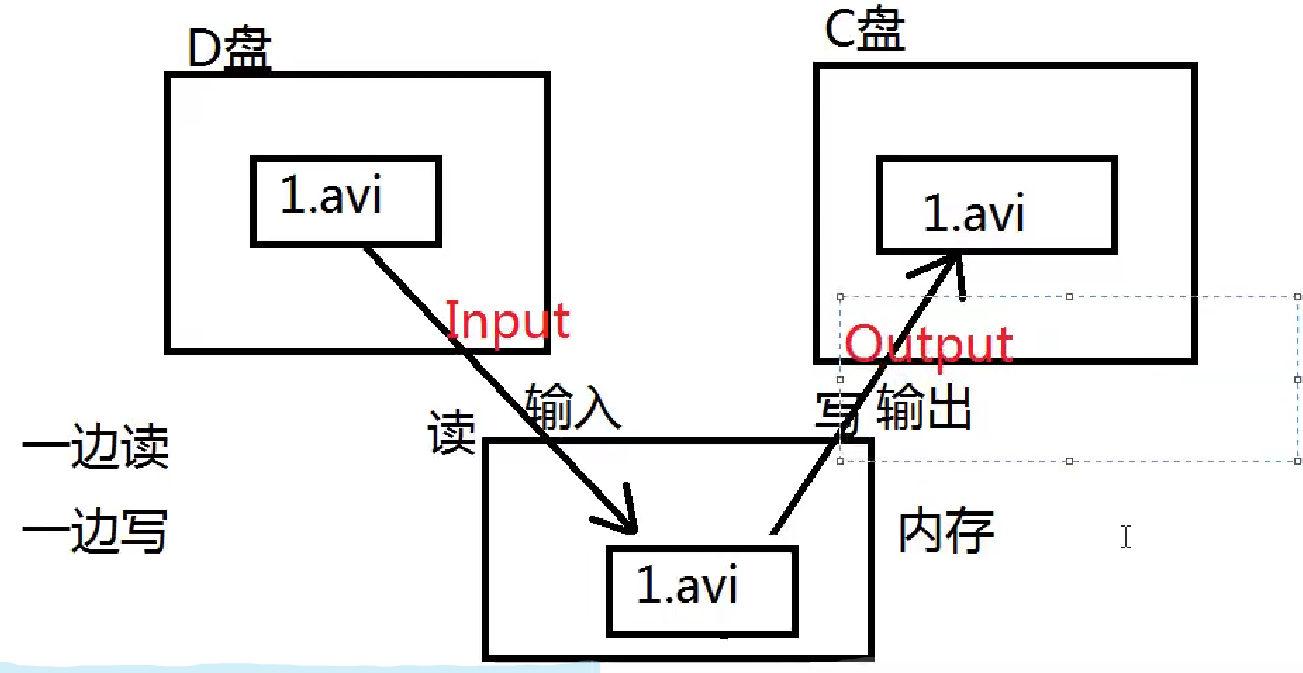
public class FileOutputStream02 { public static void main(String[] args) { FileInputStream fileInput = null; FileOutputStream fileOutput = null; try { fileInput = new FileInputStream("D:\\demo.txt"); fileOutput = new FileOutputStream("D:\\de.txt"); byte[] bytes = new byte[1024*1024]; int read = 0; while((read = fileInput.read(bytes)) != -1) { fileOutput.write(bytes,0,read);//读了多少就写多少 } fileOutput.flush(); } catch (Exception e) { e.printStackTrace(); } finally { try { fileInput.close(); } catch (IOException e) { e.printStackTrace(); } try { fileOutput.close(); } catch (IOException e) { e.printStackTrace(); } } }}out.write("我是渔夫会扎蛙!");public class BufferedReaderText01 { public static void main(String[] args) throws Exception { FileReader fileReader = new FileReader("D:\\demo.txt"); //当一个流的构造方法中需要一个流时,这个被传递进来的流叫做:节点流 //外部负责包装的这个流叫做:包装类/处理流 //这个FileReader就是一个节点流。BufferedReader就是一个包装流 BufferedReader br = new BufferedReader(fileReader); String firstLine = br.readLine(); System.out.println(firstLine); //对于包装流来说,只需要关系包装流,里面的节点流会自动关闭 br.close(); }}public class BufferedWriterTest01 { public static void main(String[] args) throws IOException { BufferedWriter out = new BufferedWriter(new FileWriter("D:\\demo.txt")); //将字节流转成字符流使用 BufferedWriter out = new BufferedWriter(new OutputStreamWriter(new FileOutputStream("D:\\demo.txt"))); out.write("\n"); out.write("hello world!"); out.flush();//记得刷新管道 out.close();//记得关闭 }}public class PrintStreamTest { public static void main(String[] args) throws FileNotFoundException { PrintStream log = new PrintStream(new FileOutputStream("log")); System.setOut(log);//将不在控制台输出,改变了输出方向,输出到log文件中 System.out.println("hello world!"); System.out.println("hello lllxxxx!"); }}public class FileTest01 { public static void main(String[] args) { //创建一个File对象 File file = new File("D:\\demo.txt"); //判断是否存在 System.out.println(file.exists()); file.createNewFile();//以文件的方式创建 file.mkdir();//以目录的形式创建 }}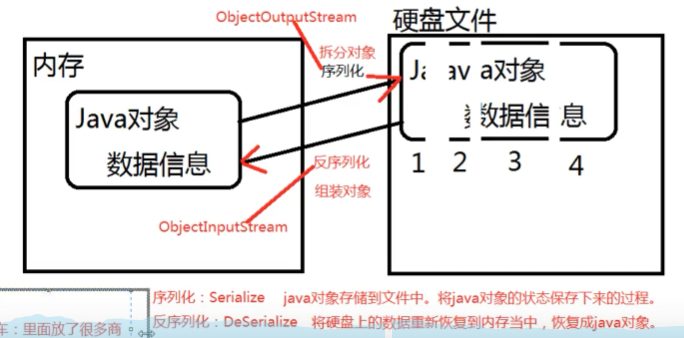
public class Student implements Serializable {//Serializable起到一个标记的作用,java虚拟机看到这个类实现了这个接口,会有不一样的感觉?? private int no; private String name; public Student() { } public Student(int no, String name) { this.no = no; this.name = name; } @Override public String toString() { return "Student{" + "no=" + no + ", name='" + name + '\'' + '}'; }}public class ObjectOutputStreamTest01 { public static void main(String[] args) throws Exception { Student lx = new Student(1, "lx"); //序列化 //有个关键字transient表示游离的,不支持序列化 ObjectOutputStream students = new ObjectOutputStream(new FileOutputStream("students")); //序列化对象 students.writeObject(lx); students.flush(); students.close(); }public class IoPropertiesTest { public static void main(String[] args) throws IOException { FileInputStream file = null; file = new FileInputStream("D:\\demo.txt"); //新建一个Map集合 Properties properties = new Properties(); //文件中的数据顺着管道流加载到Map集合中,其中等号=左边做key,右边做value properties.load(file); //通过key获取value String username = properties.getProperty("username"); System.out.println(username); }}