上一期在这里:https://www.cnblogs.com/AlphaIcarus/p/16123434.html
先分别创建横纵坐标点的模板,将这两个Text放在Graphic Container之下
完成后隐藏它们
将这两个模板设为预制体也可以
修改MyGraph
public class MyGraph : MonoBehaviour{ ...... private RectTransform labelX; //声明一个RectTransform private RectTransform labelY; //声明一个RectTransform private void Awake() { //graphContainer = transform.Find("GraphContainer").GetComponent<RectTransform>(); ...... //因为之前把模板放在graphContainer之下,如果是设为了预制体,直接声明然后赋值就行,不需要这两句 labelX = graphContainer.Find("labelX").GetComponent<RectTransform>(); //找到X轴的模板 labelY = graphContainer.Find("labelY").GetComponent<RectTransform>(); //找到Y轴的模板 ...... } //private GameObject CreateCircle(Vector2 anchoredPosition){......} private void ShowGraph(List<int> valueList) { ...... for (int i = 0; i < valueList.Count; i++) { ...... //lastPoint = circleGameobject; RectTransform labelx = Instantiate(labelX); //声明一个RectTransform,复制并实例化模板 //将新生成的坐标设为graphContainer子物体,这样锚点位于graphContainer左下角(原点)方便计算位置坐标 labelx.SetParent(graphContainer); labelx.gameObject.SetActive(true); //显示坐标,因为之前隐藏了模板 labelx.anchoredPosition = new Vector2(xPos, -25); //设置横坐标位置 labelx.GetComponent<Text>().text = i.ToString(); //设置横坐标显示的数据 } } //private void DrawLine(Vector2 pointA, Vector2 pointB){......} //private float RotateAngle(float x, float y){......}}显示结果:
这里我又把背景大小调整了一下,方便横坐标显示
接下来是y轴坐标
修改MyGraph
...... private void ShowGraph(List<int> valueList) { ...... for (int i = 0; i < valueList.Count; i++){......} int count = 10; //这里为y坐标个数 for (int i = 0; i <= count; i++) { RectTransform labely = Instantiate(labelY); //获取模板 labely.SetParent(graphContainer); //设置父物体 labely.gameObject.SetActive(true); //显示 float yPos = i * 1f / count; labely.anchoredPosition = new Vector2(-50f, yPos * graphHeight); //y轴坐标 labely.GetComponent<Text>().text = Mathf.RoundToInt(yPos * maxValue).ToString(); //显示的值 } }显示效果: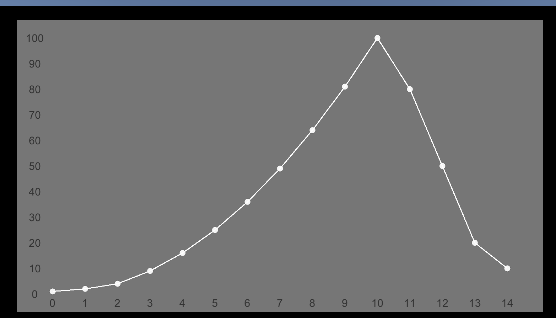
接下来是横纵坐标的线
和坐标点的方法类似,分别创建横纵坐标线就行,这里两个线条都是Image,且锚点都是graphcontainer,即原点位于左下角
然后修改MyGraph
public class MyGraph : MonoBehaviour{ ...... private RectTransform lineH; private RectTransform lineV; ...... private void Awake() { ...... lineH = graphContainer.Find("LineHorizontal").GetComponent<RectTransform>(); lineV = graphContainer.Find("LineVertical").GetComponent<RectTransform>(); ...... } private void ShowGraph(List<int> valueList) { ...... for (int i = 0; i < valueList.Count; i++) { ...... //在横纵坐标后面添加即可,因为位置和坐标点相同 RectTransform lineVertical = Instantiate(lineV); lineVertical.SetParent(graphContainer, false); lineVertical.gameObject.SetActive(true); lineVertical.anchoredPosition = new Vector2(xPos, 0f); } int count = 10; for (int i = 0; i <= count; i++) { ...... //在横纵坐标后面添加即可,因为位置和坐标点相同 RectTransform lingHorizontal = Instantiate(lineH); lingHorizontal.SetParent(graphContainer, false); lingHorizontal.gameObject.SetActive(true); lingHorizontal.anchoredPosition = new Vector2(-0f, yPos * graphHeight); } }}显示效果: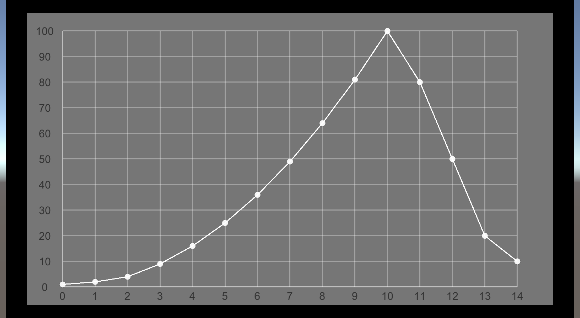
线条可以自行修改透明度和颜色或者修改为虚线贴图