前文我们了解了奇异值分解(SVD)的原理,今天就实战一下,用矩阵的奇异值分解对图片进行压缩.
Learn by doing
我做了一个在线的图像压缩应用,大家可以感受一下。
https://huggingface.co/spaces/beihai/Image-Compression-with-SVD
功能很简单,上传需要压缩的图片,选择压缩比,提交即可。
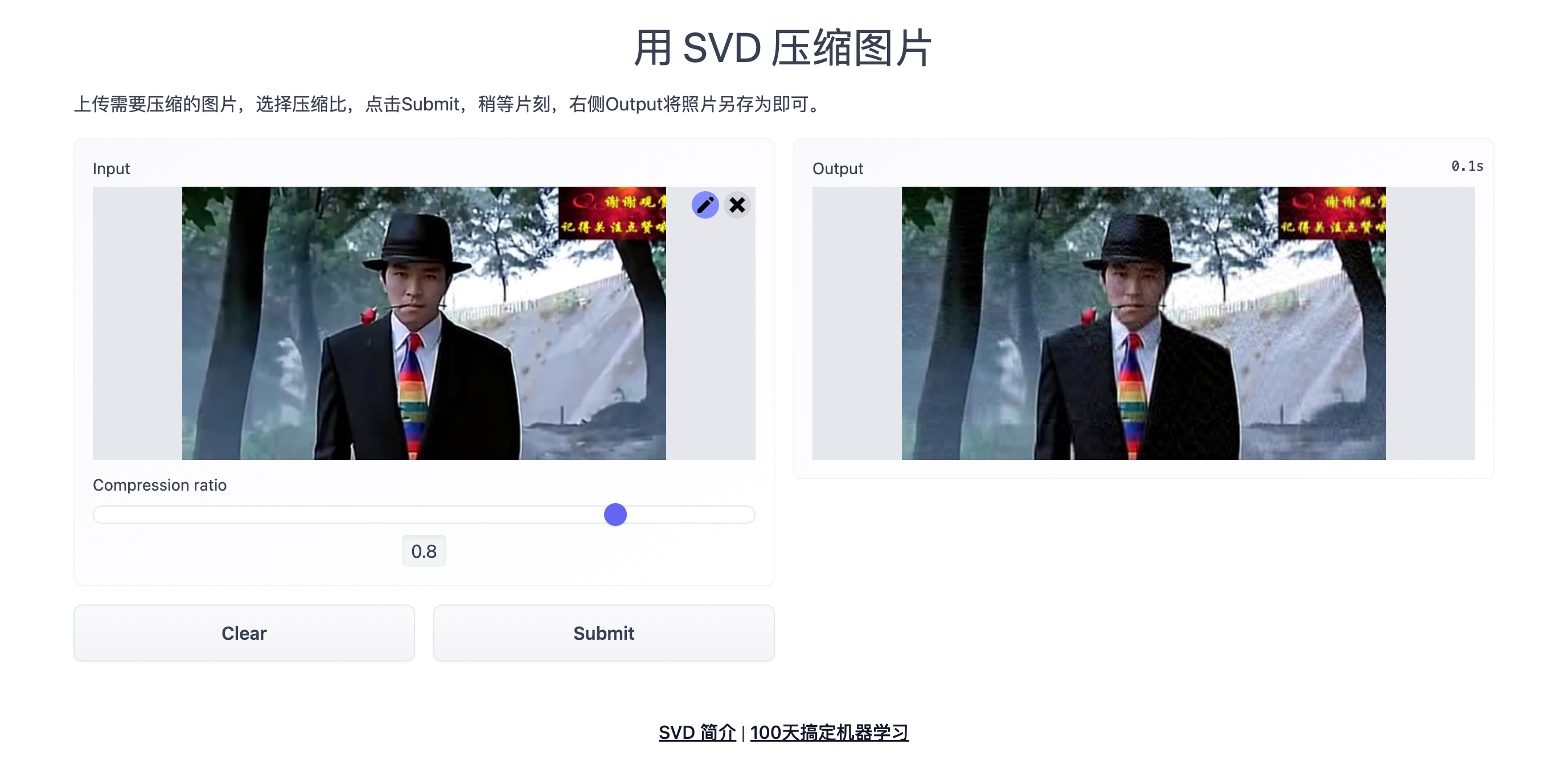
下面咱们就一起看看实现过程
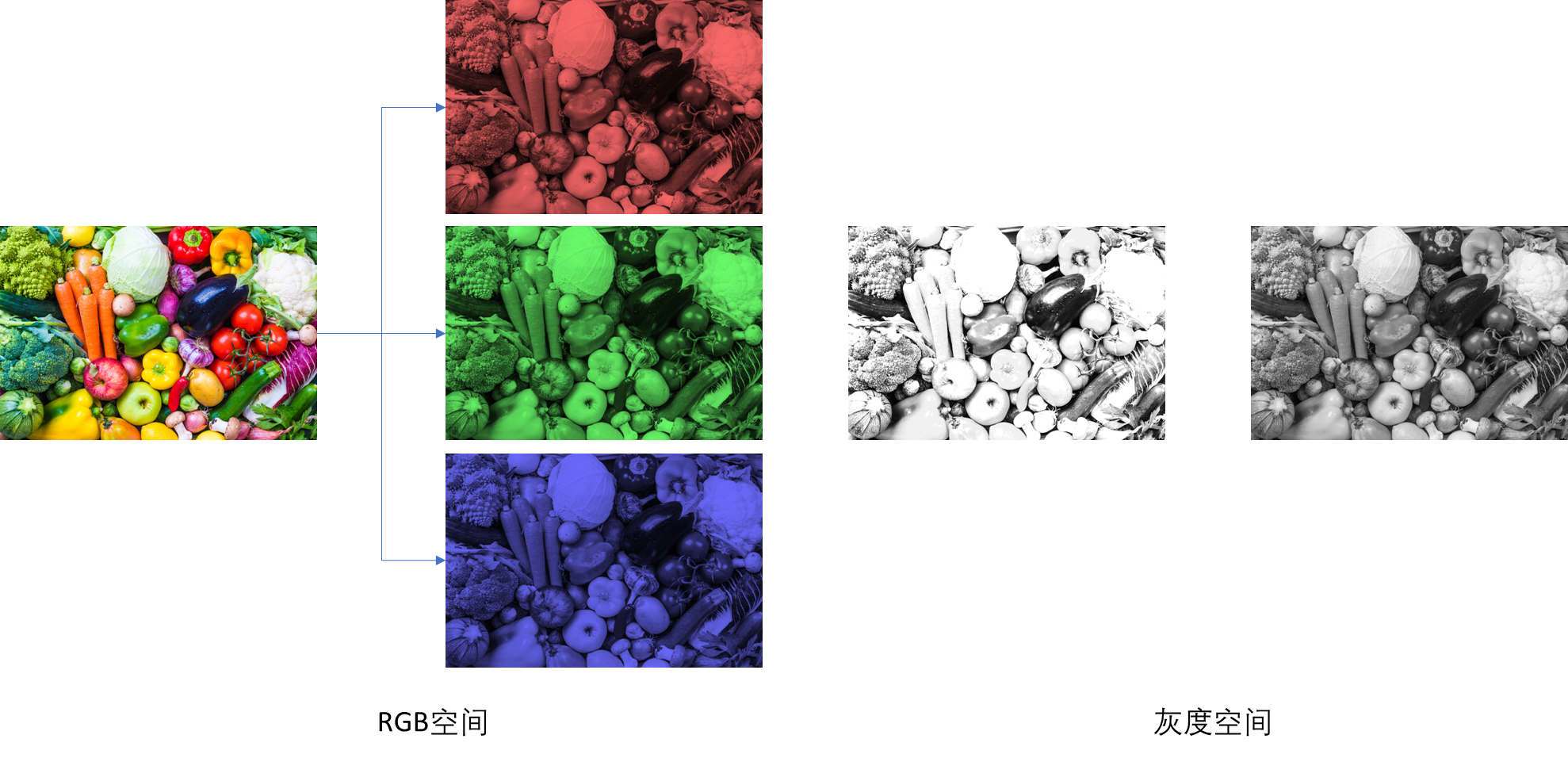
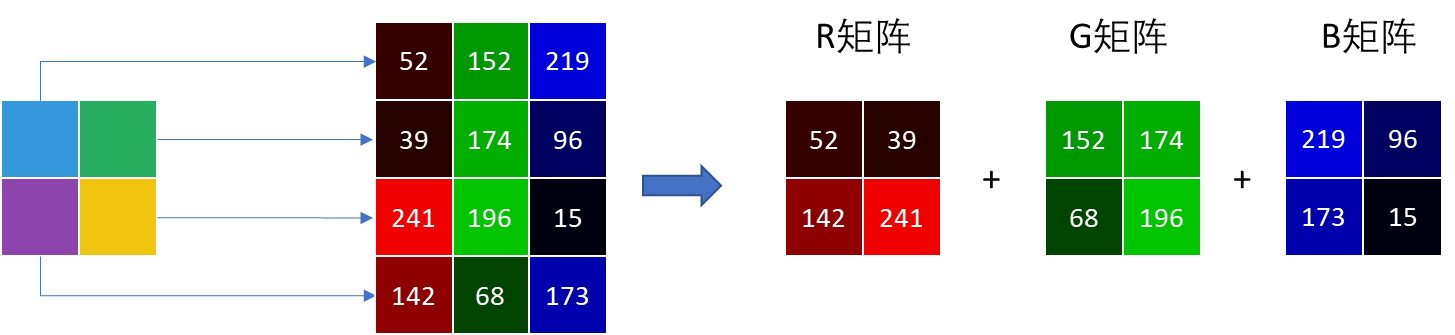
原理很简单:
将图片分解为RGB三颜色矩阵,将每个颜色矩阵进行奇异值分解,然后选择指定数量的特征对矩阵进行压缩。
完整代码大家可以clone我的huggingface
https://huggingface.co/spaces/beihai/Image-Compression-with-SVD
核心代码1:
p表示奇异值的百分比,根据指定的清晰度提取奇异值清晰度越高,压缩比越低,提取的奇异值的个数也就越多,图片也就越不会失真)
def rebuild_img(u, sigma, v, percent): m = len(u) n = len(v) a = np.zeros((m, n)) count = (int)(sum(sigma)) curSum = 0 k = 0 while curSum <= count * percent: uk = u[:, k].reshape(m, 1) vk = v[k].reshape(1, n) a += sigma[k] * np.dot(uk, vk) curSum += sigma[k] k += 1 a[a < 0] = 0 a[a > 255] = 255核心代码2:
主要就是定义inderence函数和gradio前端的实现
import osos.system("pip install --upgrade pip")os.system("pip install opencv-python-headless")import cv2import numpy as npimport gradio as grfrom func import rebuild_imgdef inference(img,k): input_img = cv2.imread(img, cv2.IMREAD_COLOR) u, sigma, v = np.linalg.svd(input_img[:, :, 0]) R = rebuild_img(u, sigma, v, k) u, sigma, v = np.linalg.svd(input_img[:, :, 1]) G = rebuild_img(u, sigma, v, k) u, sigma, v = np.linalg.svd(input_img[:, :, 2]) B = rebuild_img(u, sigma, v, k) restored_img = np.stack((R, G, B), 2) return Image.fromarray(restored_img[:, :, ::-1])gr.Interface( inference, [ gr.inputs.Image(type="filepath", label="Input"),gr.inputs.Slider(0, 1, 0.1,default=0.6,label= 'Compression ratio')], gr.outputs.Image(type="pil", label="Output"), title=title, description=description, article=article ).launch(enable_queue=True,cache_examples=True,share=True)Gradio + Huggingface 上线机器学习应用(纯免费)我已经介绍过很多遍了,这里就不赘述了,还不太熟悉的同学请移步我这篇文章:腾讯的这个算法,我搬到了网上,随便玩!
这里就提一下遇到的小问题及解决方法吧。
由于用了cv2,所以要安装opencv-python,但是运行中报错如下:
File "/home/user/.local/lib/python3.8/site-packages/cv2/__init__.py", line 8, in <module> from .cv2 import *ImportError: libGL.so.1: cannot open shared object file: No such file or directory针对这个错误,网上有以下方法:
1 yum安装:
yum install libglvnd-glx2 重新安装opencv包:
pip uninstall opencv-pythonpip install opencv-python-headless第一种方法需要root权限,建议直接第二种方法吧,省事。