在实际的应用场景中,经常会出现软件界面战场图大于实际窗体大小,利用QScrollArea可以为widget窗体添加滚动条,可以实现小窗体利用滚动条显示大界面需求。实现如下:
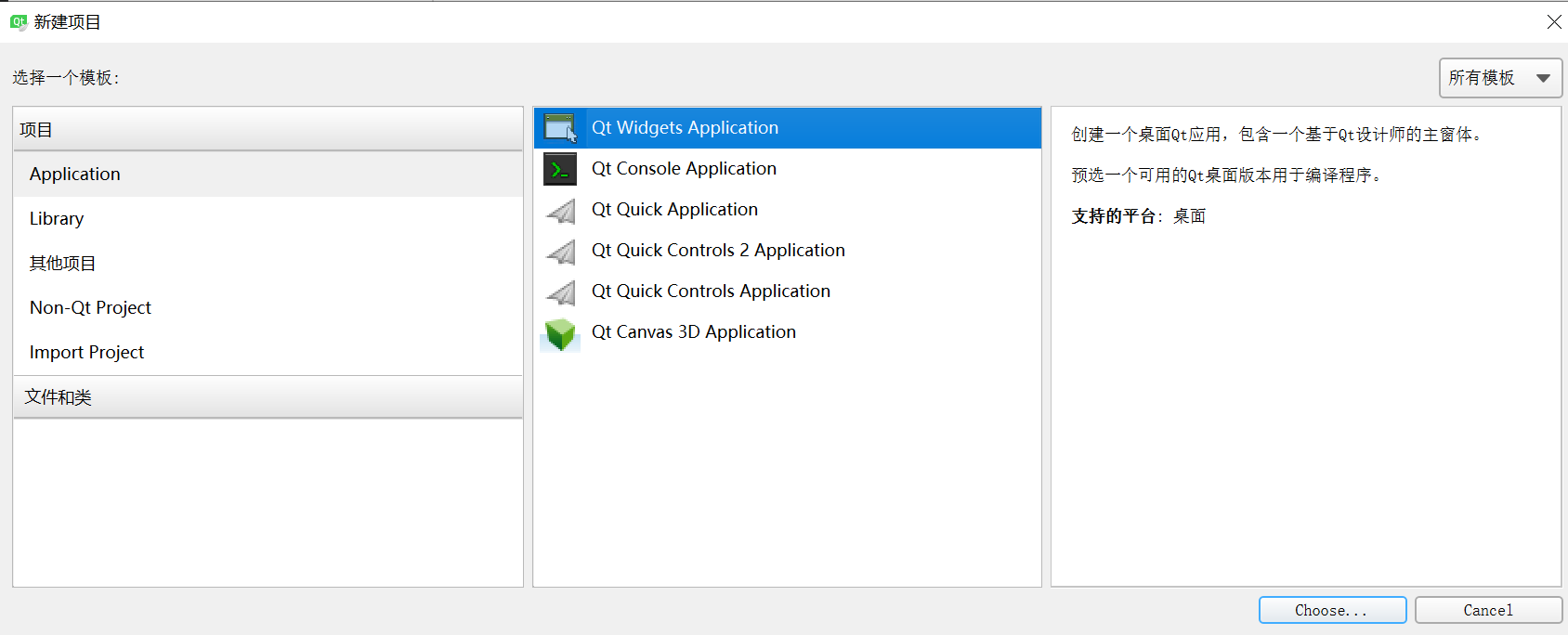

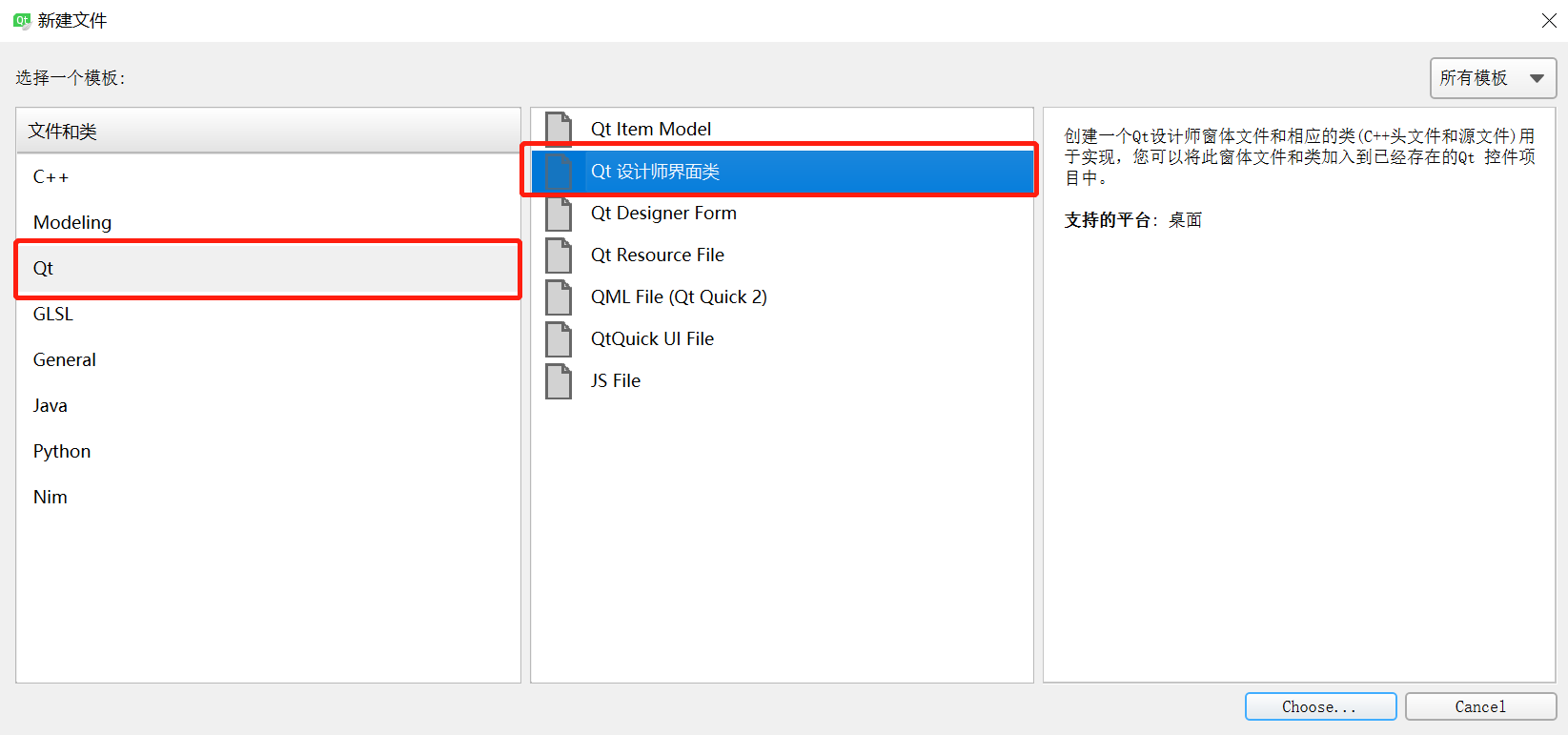
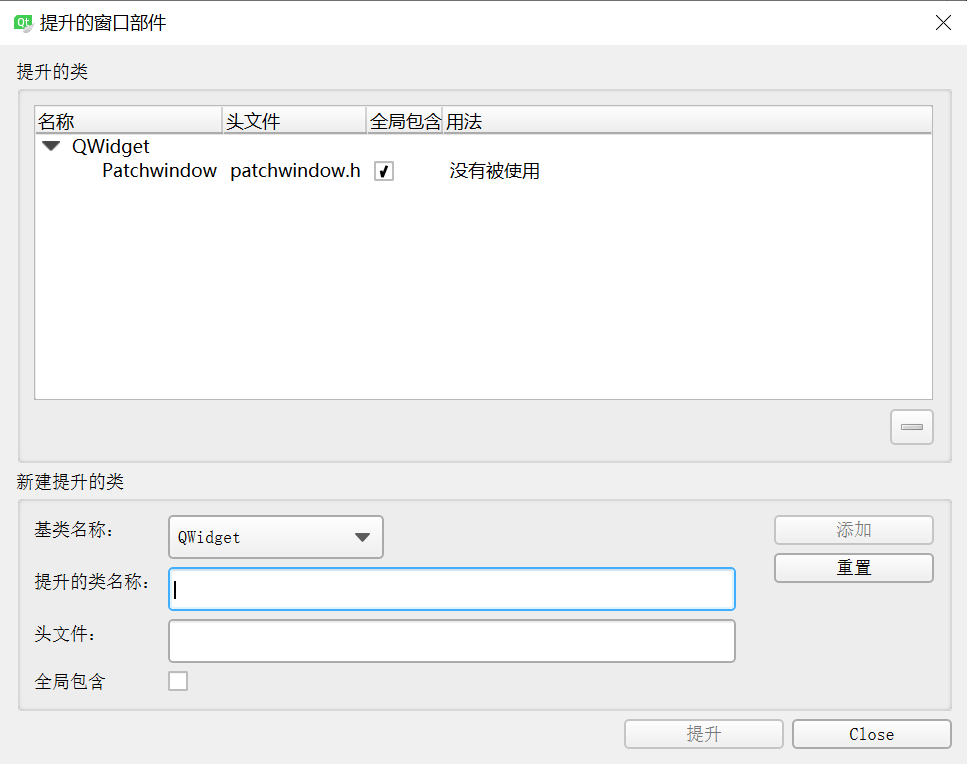
patchwindow.h


1 #ifndef PATCHWINDOW_H 2 #define PATCHWINDOW_H 3 4 #include <QDebug> 5 #include <QPainter> 6 #include <QWidget> 7 #include <QMouseEvent> 8 #include <QStyleOption> 9 #include <QPaintEvent>10 11 enum CursorRegion{12 NONE,13 TOPLEFT,14 TOPRIGHT,15 BOTTOMRIGHT,16 BOTTOMLEFT17 };18 19 namespace Ui {20 class Patchwindow;21 }22 23 class Patchwindow : public QWidget24 {25 Q_OBJECT26 27 public:28 explicit Patchwindow(QWidget *parent = 0);29 ~Patchwindow();30 CursorRegion getCursorRegion(QPoint);31 32 public:33 int borderWidth;34 int handleSize;35 36 bool mousePressed;37 QPoint previousPos;38 39 private:40 Ui::Patchwindow *ui;41 42 protected:43 void mousePressEvent(QMouseEvent*);44 void mouseReleaseEvent(QMouseEvent*);45 void mouseMoveEvent(QMouseEvent*);46 47 signals:48 void send_widget_rx_ry(int rx,int ry);49 };50 51 #endif // PATCHWINDOW_H
patchwindow.cpp
1 #include "patchwindow.h" 2 #include "ui_patchwindow.h" 3 4 Patchwindow::Patchwindow(QWidget *parent) : 5 QWidget(parent), 6 ui(new Ui::Patchwindow) 7 { 8 ui->setupUi(this); 9 10 this->setMouseTracking(true);11 12 setFocusPolicy(Qt::StrongFocus);13 14 mousePressed = false;15 borderWidth = 1;16 handleSize = 8;17 18 }19 20 Patchwindow::~Patchwindow()21 {22 delete ui;23 }24 25 26 //设置鼠标形状27 CursorRegion Patchwindow::getCursorRegion(QPoint pos)28 {29 if (pos.x() > 0 && pos.x() < (handleSize + borderWidth) &&30 pos.y() > 0 && pos.y() < (handleSize + borderWidth) ){31 if (this->hasFocus())32 this->setCursor(QCursor(Qt::SizeFDiagCursor));33 return CursorRegion::TOPLEFT;34 }35 36 if (pos.x() > (this->width() - handleSize - borderWidth) && pos.x() < this->width() &&37 pos.y() > 0 && pos.y() < (handleSize + borderWidth) ){38 if (this->hasFocus())39 this->setCursor(QCursor(Qt::SizeBDiagCursor));40 return CursorRegion::TOPRIGHT;41 }42 43 if (pos.x() > (this->width() - handleSize - borderWidth) && pos.x() < this->width() &&44 pos.y() > (this->height() - handleSize - borderWidth) && pos.y() < this->height() ){45 if (this->hasFocus())46 this->setCursor(QCursor(Qt::SizeFDiagCursor));47 return CursorRegion::BOTTOMRIGHT;48 }49 50 51 if (pos.x() > 0 && pos.x() < (handleSize + borderWidth) &&52 pos.y() > (this->height() - handleSize - borderWidth) && pos.y() < this->height() ){53 if (this->hasFocus())54 this->setCursor(QCursor(Qt::SizeBDiagCursor));55 return CursorRegion::BOTTOMLEFT;56 }57 58 this->setCursor(Qt::ArrowCursor);59 return CursorRegion::NONE;60 }61 62 void Patchwindow::mousePressEvent(QMouseEvent *event)63 {64 mousePressed = true;65 previousPos = this->mapToParent(event->pos());66 //qDebug()<<"previousPos = "<<previousPos;67 }68 69 void Patchwindow::mouseReleaseEvent(QMouseEvent*)70 {71 mousePressed = false;72 }73 74 void Patchwindow::mouseMoveEvent(QMouseEvent *event)75 {76 if (mousePressed){77 QPoint _curPos = this->mapToParent(event->pos());78 QPoint _offPos = _curPos - previousPos;79 previousPos = _curPos;80 //qDebug()<<"_offPos = "<<_offPos;81 //qDebug()<<"_curPos = "<<_curPos;82 emit send_widget_rx_ry(_offPos.rx(),_offPos.ry());83 }84 }
mainwindow.h
1 #ifndef MAINWINDOW_H 2 #define MAINWINDOW_H 3 4 #include <QMainWindow> 5 #include <QHBoxLayout> 6 #include <QDebug> 7 #include <QScrollArea> 8 9 10 namespace Ui {11 class MainWindow;12 }13 14 class MainWindow : public QMainWindow15 {16 Q_OBJECT17 18 public:19 explicit MainWindow(QWidget *parent = 0);20 ~MainWindow();21 22 QScrollArea *m_pScroll;23 24 25 private:26 Ui::MainWindow *ui;27 28 private slots:29 void remove_widget(int r_x,int r_y);30 31 32 };33 34 #endif // MAINWINDOW_H
mainwindow.cpp
1 #include "mainwindow.h" 2 #include "ui_mainwindow.h" 3 #include <QPalette> 4 5 #include <QScrollBar> 6 7 MainWindow::MainWindow(QWidget *parent) : 8 QMainWindow(parent), 9 ui(new Ui::MainWindow)10 {11 ui->setupUi(this);12 //this->resize(600,600);13 14 //给父窗体填充颜色15 QPalette palette = ui->widget_2->palette();16 palette.setBrush(QPalette::Window,QBrush(QColor(61,61,61)));17 ui->widget_2->setAutoFillBackground(true);18 ui->widget_2->setPalette(palette);19 20 ui->widget_2->setAttribute(Qt::WA_StyledBackground);21 ui->widget_2->setStyleSheet("QWidget{background: black}");22 23 ui->widget_3->setAttribute(Qt::WA_TransparentForMouseEvents, true);//设置该层鼠标事件透明,可以设置为显示层24 25 m_pScroll = new QScrollArea(ui->widget);26 m_pScroll->setWidget(ui->widget_2);//给widget_2设置滚动条27 //ui->widget_2->setMinimumSize(1500,1000);//这里注意,要比主窗体的尺寸要大,不然太小的话会留下一片空白28 29 QHBoxLayout *pLayout = new QHBoxLayout;30 pLayout->addWidget(m_pScroll);31 pLayout->setMargin(0);32 pLayout->setSpacing(0);33 ui->widget->setLayout(pLayout);34 35 connect(ui->widget_2,&Patchwindow::send_widget_rx_ry,this,&MainWindow::remove_widget);36 37 }38 39 MainWindow::~MainWindow()40 {41 delete ui;42 }43 44 void MainWindow::remove_widget(int r_x,int r_y)45 {46 r_y = m_pScroll->verticalScrollBar()->value()-r_y;47 r_x = m_pScroll->horizontalScrollBar()->value()-r_x;48 49 if((0 < r_y) | (r_y == 0))50 {51 if(r_y > m_pScroll->verticalScrollBar()->maximum())52 {53 r_y = m_pScroll->verticalScrollBar()->maximum();54 }55 }56 else57 {58 r_y = 0;59 }60 61 if((0 < r_x) | (r_x == 0))62 {63 if(r_x > m_pScroll->horizontalScrollBar()->maximum())64 {65 r_x = m_pScroll->horizontalScrollBar()->maximum();66 }67 }68 else69 {70 r_x = 0;71 }72 73 m_pScroll->verticalScrollBar()->setValue(r_y);74 m_pScroll->horizontalScrollBar()->setValue(r_x);75 76 }
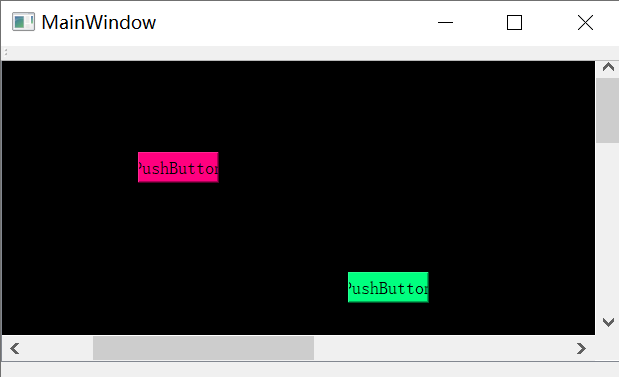
工程源码下载路径:
「ScrollArea」https://www.aliyundrive.com/s/QMf912nt86A 点击链接保存,或者复制本段内容,打开「阿里云盘」APP ,无需下载极速在线查看,视频原画倍速播放。

