OpenAPI 3.0 规范由 8 个根对象组成:
OpenAPI 的其余功能都是基于这 8 根对象扩展而成,凡是包含以上对象并且扩展名为 json,yaml 的文件,我们可以将其视为符合 OpenAPI 规范的描述文件 ,你可以在:API Editor 在线编辑器 中来验证你的 OpenAPI 文件是否符合规范,以下我们就主要介绍 8 个根对象的使用和扩展方法
openapi 是最简单也是最基础的属性,我们为 OpenAPI 添加第一个根对象属性,指定使用的规范版本:
openapi: "3.0.2"然后继续补充信息
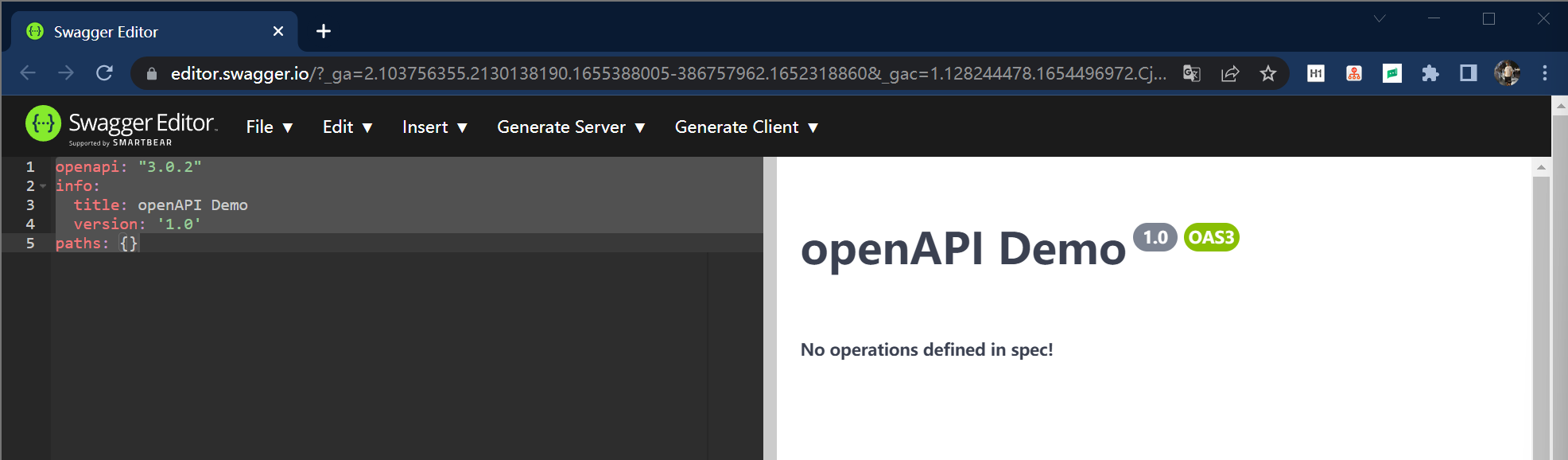
openapi: "3.0.2"info: title: openAPI Demo version: '1.0'paths: {}一个极简的 OpenAPI 文件就诞生了,它的展示方式如下:
根节点的 info 对象主要包含以下信息:
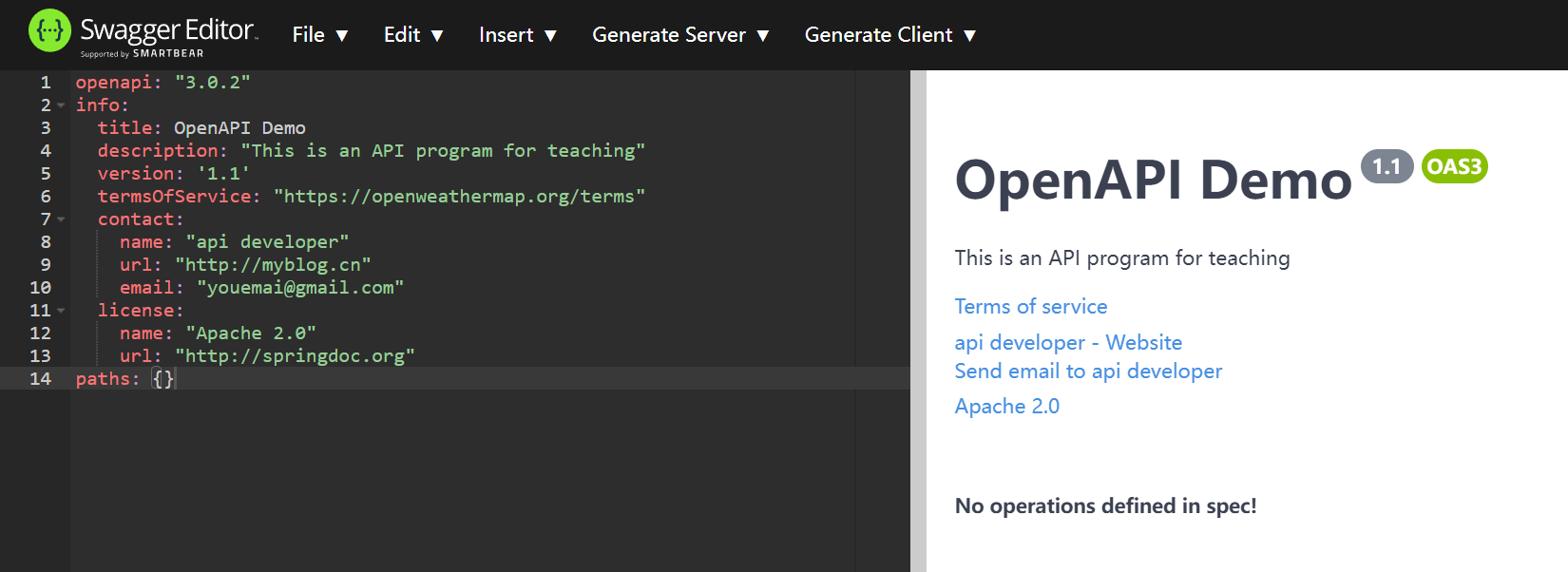
以下是 info 对象和属性的示例:
openapi: "3.0.2"info: title: openAPI Demo description: "This is an API program for teaching" version: '1.1' termsOfService: "https://openweathermap.org/terms" contact: name: "api developer" url: "http://myblog.cn" email: "youemai@gmail.com" license: name: "Apache 2.0" url: "http://springdoc.org"paths: {}以上内容的预览效果如下:
如果觉得 description 太过简陋,它也支持 Markdown 语法显示,效果如下:

按照约定 description 应该向用户展示如下信息:
servers 主要表示访问服务端的基础路径,既在访问接口前都会带上该参数,示例如下:
servers: - url: 'http://localhost:8080/webapi'
servers 对象支持多参数配置,你可以指定多服务器(开发,测试,生成等)的 URL,用户可以从下拉框选择不用服务器的 URL 发起请求,配置和预览效果如下:
servers:- url: https://localhost:8080/webapi description: develop server- url: http://test-server:8080/webapi description: test server- url: http://product-server:8080/webapi description: product server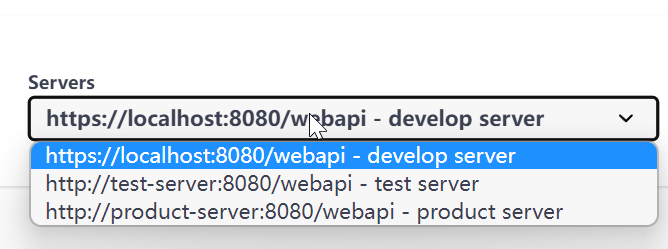
paths 对象包含真正的 API 信息内容,它的每个项都包含一个可操作的 endpoint 操作对象,每个操作对象都包含我们常见的 GET/POST/PUT/DELETE 等方法,看一个简单示例:
paths: /pet: get:以上信息描述一个 /pet 的 endpoint ,它只包含一个 get 操作对象,类似 get 操作对象(也称 Operation Objects)也包含以下属性:
tags:用于对 endpoint 进行分组的组名summary:操作对象的摘要信息,最好限制在 5-10 字以内,主要作为概览展示description:操作对象的描述信息,尽可能的详细,展示细节信息operationId:操作对象的唯一 IDparameters:该端点的请求参数对象,描述如下,( requestBody 描述不在此列包含系列属)header,path,query,cookierequestBody:请求主体的描述,还可以包含一个指向 components 的 $ref 指针response:响应主体的描述,通常使用标准的 HTTP 状态码,可以包含指向 components 的 $ref 指针callbacks:回调对象和回调信息的描述,较为少见,不过多介绍deprecated:标识该 path 是否被弃用security:仅用于覆盖全局的安全授权方法servers:仅用于覆盖全局的服务器访问对象大多数情况下不需要声明那么多的属性,以下是一个端点的 operation object 常见描述信息,如下:
paths: /weather: get: tags: summary: description: operationId: externalDocs: parameters: responses:parameters 的示例用法(包含一个参数的 get 方法):
paths: /weather: get: tags: - Current Weather Data summary: "Call current weather data for one location." description: "^_^" operationId: CurrentWeatherData parameters: - name: q in: query description: "^_^" schema: type: stringresponses 用于描述接口的响应对象,可以直接描述,如下:
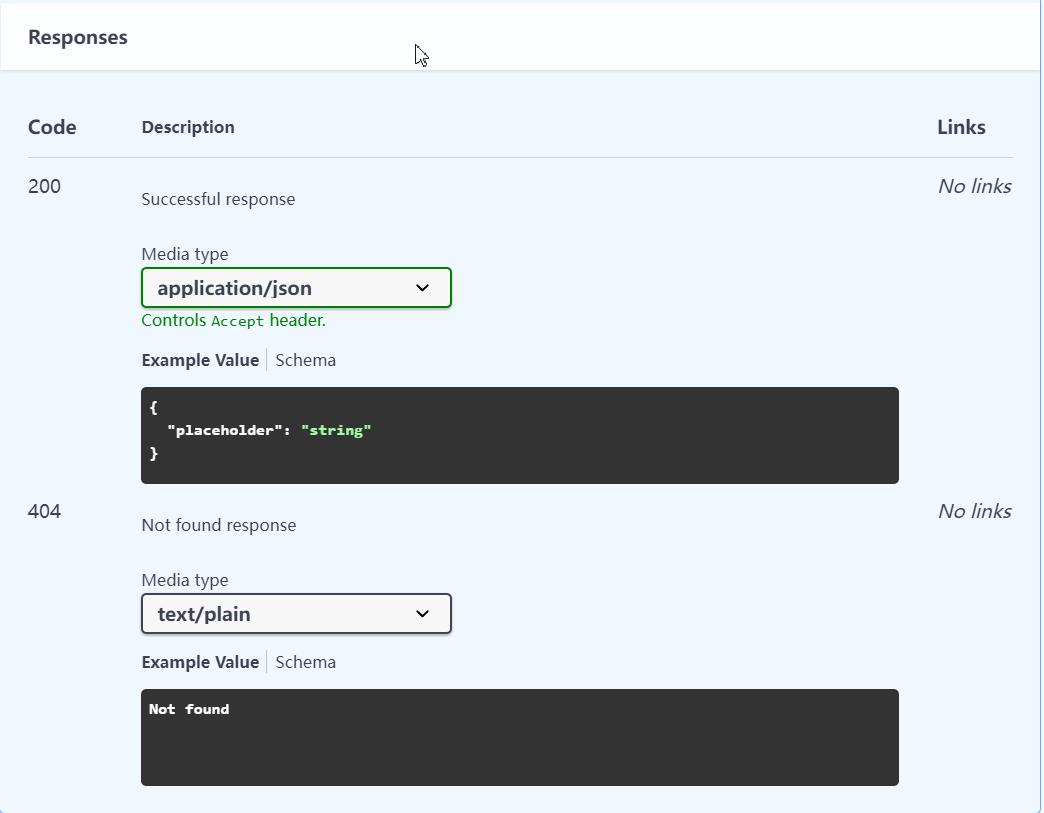
responses: 200: description: Successful response content: application/json: schema: title: Sample type: object properties: placeholder: type: string description: Placeholder description 404: description: Not found response content: text/plain: schema: title: Weather not found type: string example: Not found你可以在 Swagger UI 中看到以下的示例效果:
在 components 中主要可以定义重复使用的对象,以便其他对象使用 $ref 关键字直接引用和声明
我们可以把刚才对 parameters 的描述移动到 components 中来,如下:
components: parameters: q: name: q in: query description: "………………" schema: type: string id: name: id in: query description: "…………" schema: type: string lat: name: lat in: query description: "………………" schema: type: string然后我们可以在 paramters 中直接引用它,如下:
paths: /weather: get: tags: - Current Weather Data summary: "………………" description: "………………." operationId: CurrentWeatherData parameters: - $ref: '#/components/parameters/q' - $ref: '#/components/parameters/id' - $ref: '#/components/parameters/lat' responses: 200: description: Successful response content: application/json: schema: title: Sample type: object properties: placeholder: type: string description: Placeholder description 404: description: Not found response content: text/plain: schema: title: Weather not found type: string example: Not found如上,利用好 components 就可以达到组件复用 +减少篇幅的效果
我们也可以直接在 reponses 中引用已经声明的对象,如下:
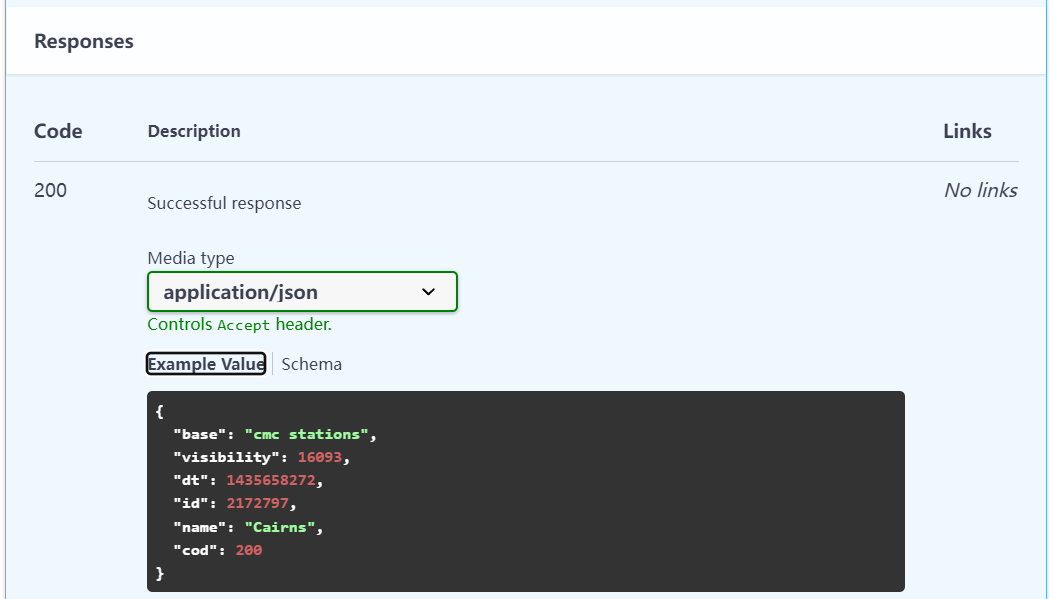
responses: 200: description: Successful response content: application/json: schema: $ref: '#/components/schemas/200'它在 yaml 中的描述如下:
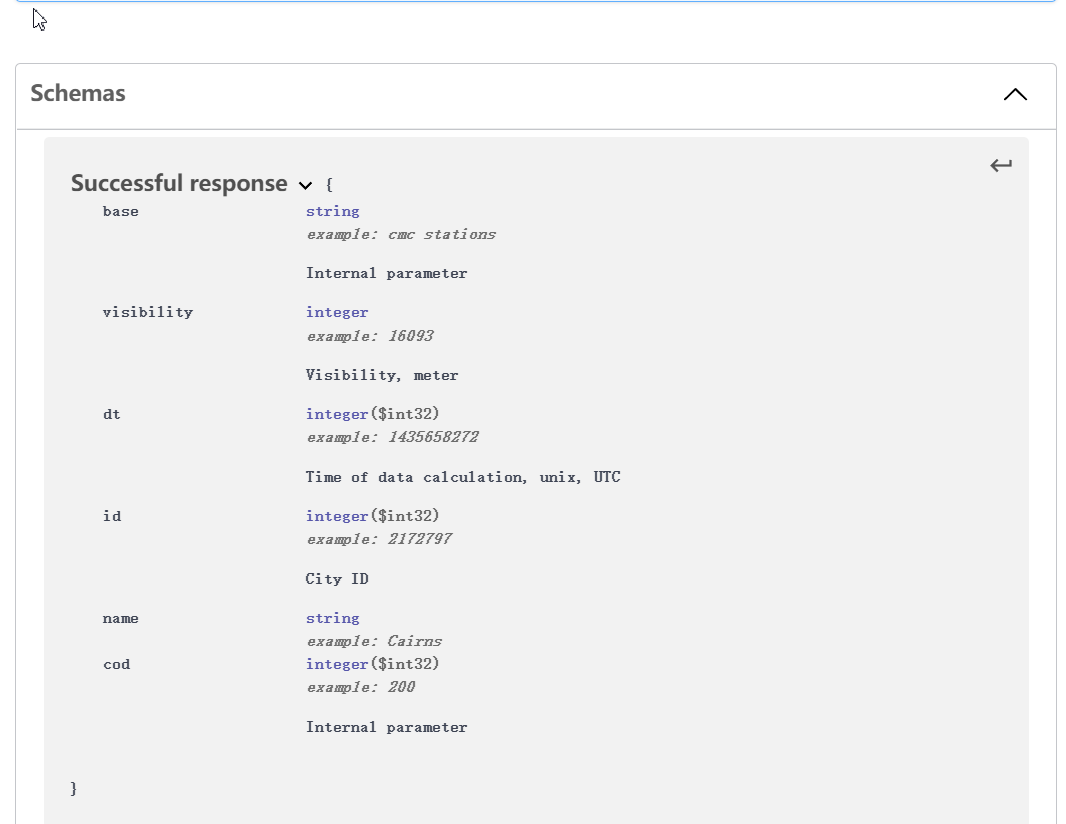
components: schemas: 200: title: Successful response type: object properties: base: type: string description: Internal parameter example: cmc stations visibility: type: integer description: Visibility, meter example: 16093 dt: type: integer description: Time of data calculation, unix, UTC format: int32 example: 1435658272 id: type: integer description: City ID format: int32 example: 2172797 name: type: string example: Cairns cod: type: integer description: Internal parameter format: int32 example: 200它在 Swagger UI 中展示效果如下:
通过 components 定义的对象都会在 Swagger UI 下方通过 Schemas 进行展示,如下:
除了部分 Demo 示例外,大部分的 Web 服务都是需要经过身份认证的才能访问,security 就是用于描述 API 的安全信息和访问授权协议等信息的对象,OpenAPI 支持最常见的四种授权方案,如下:
这里我们使用最常见的 API Key 作为演示,在 OpenAPI 文档的根目录添加安全对象:
security: - app_id: []这样所有的路径都会使用 security 描述的 app_id 安全方法,但是通常会在 components 中添加 security 对象,这样的描述信息会更加的详细,如下:
components: ... securitySchemes: app_id: type: apiKey description: API key to authorize requests. name: appid in: querysecurity 对象的属性内容:
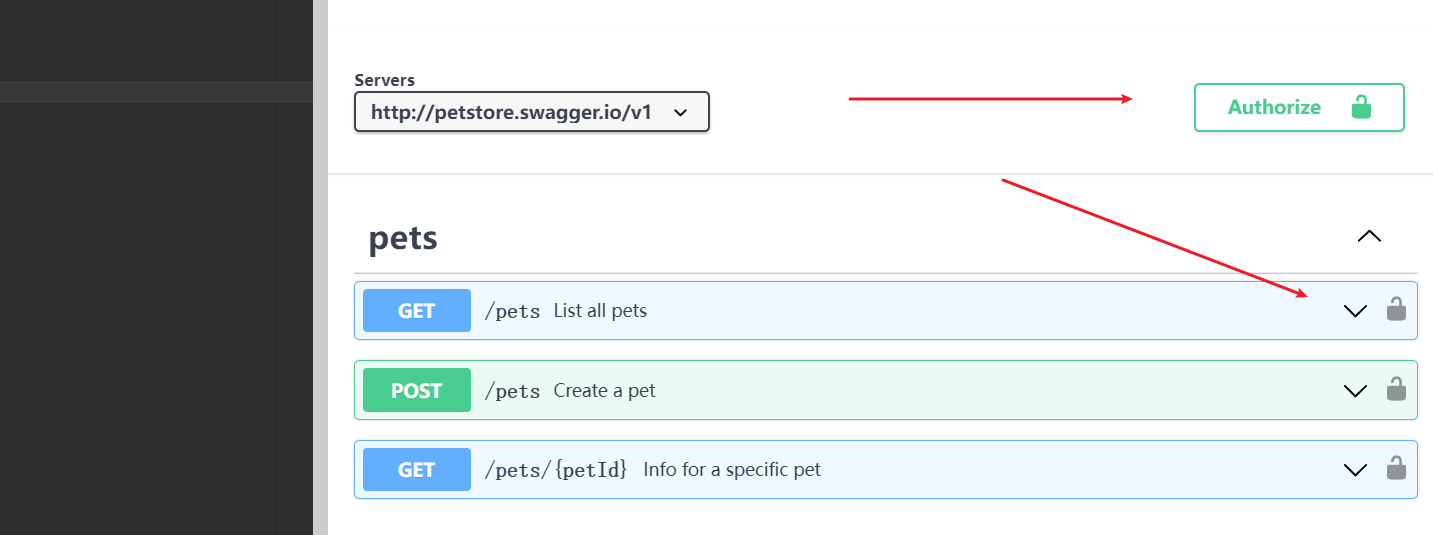
apiKey、http、oauth2、openIdConnectapiKey 在 HTTP Header 请求中的名字apiKey 在 HTTP 传输中的位置,枚举值有:query,header,cookie在添加以上的描述信息后,Swagger UI 会显示安全任何的相关标识,如下:
点击 Authorize 会显示更多的安全信息:
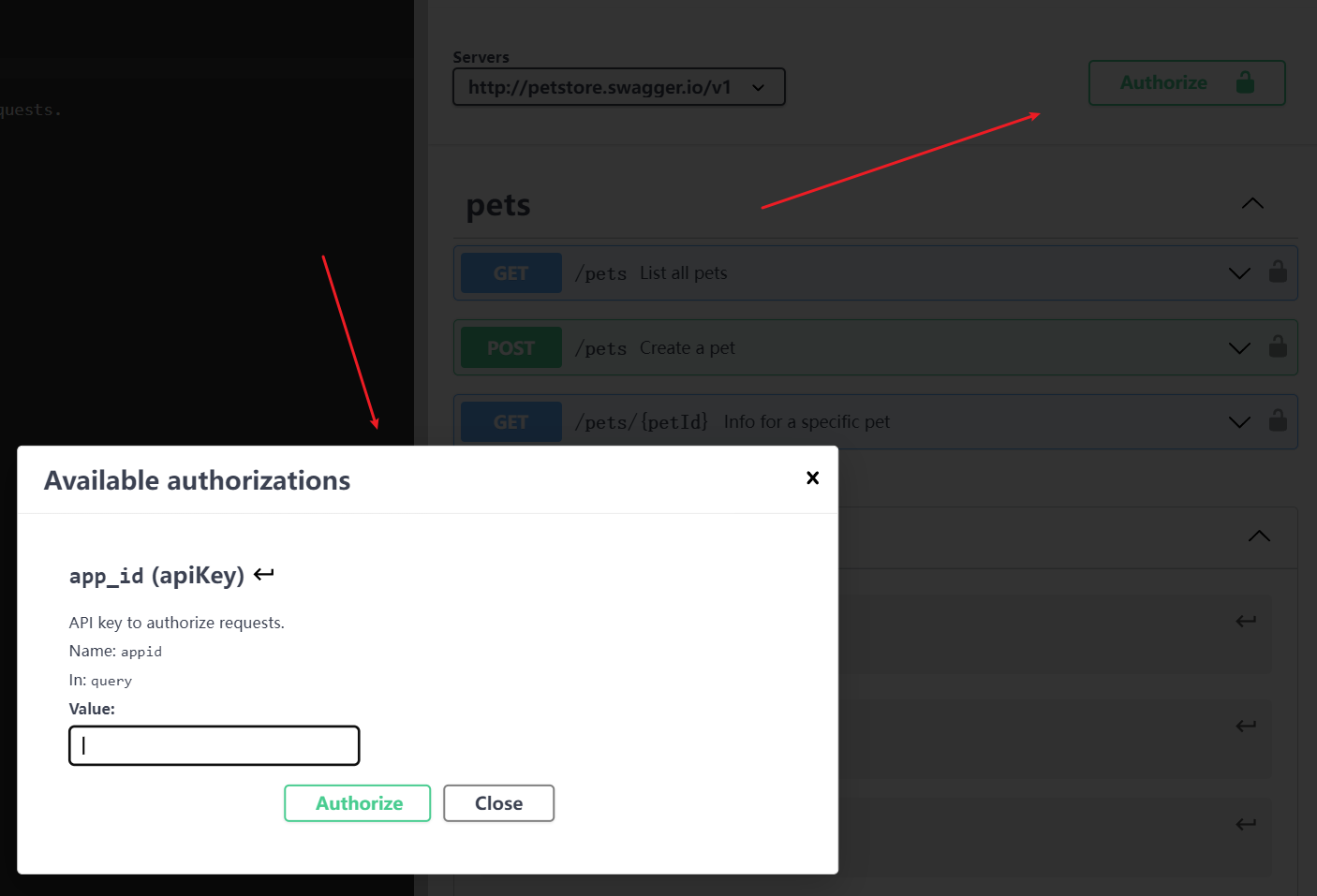
当你在 Value 输入你的访问秘钥时,Swagger 会在访问 API 的时候,根据你的设定访问你的 API,如下:
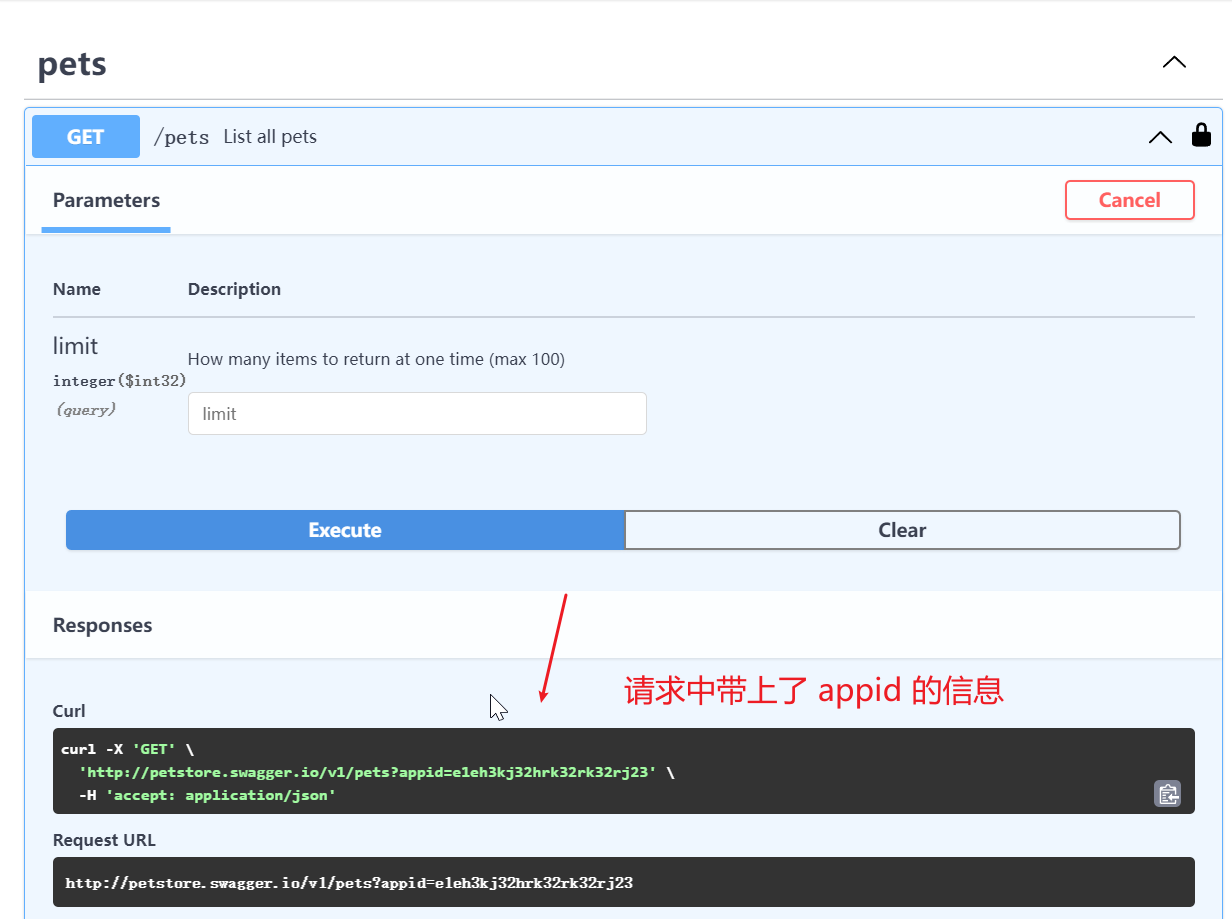
该对象主要是对 OpenAPI 中的多个访问路径进行分组,从而更方面的查看 API 信息,使用示例如下:
我们为一个请求路径添加 tags 信息:
paths: /pets: get: summary: List all pets operationId: listPets tags: - pets这表示该请求路径属于 pets 分组,然后我们在根目录级别添加 tags 属性,来为分组信息进行描述:
tags: - name: pets description: "Chimelong Animal Happy World"然后我们来看看 Swagger UI 对于分组信息的展示,如下:
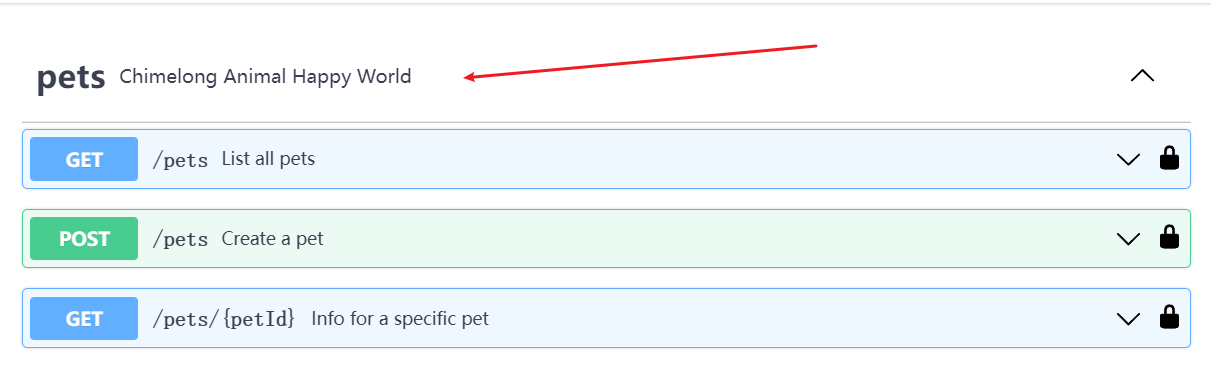
该对象不常用,主要添加对外部文档的引用,来对目前文档进行补充,例如你可以在根目录添加该属性,如下:
externalDocs: description: externalDocs API Documentation url: https://openweathermap.org/api它会在你 Swagger 的描述中展示一个链接地址,如下:

你还可以在 API 的请求路径中,增加一个外部引用的描述,如下:
paths: /pets: get: summary: List all pets externalDocs: description: externalDocs API Documentation url: https://openweathermap.org/apiSwagger UI 会在请求路径的描述中,增加一个外部链接作为对描述的补充,如下:
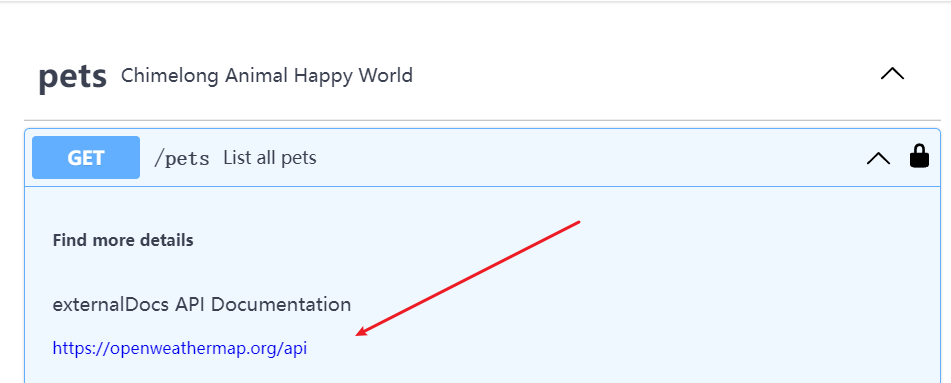
以上就是一个完整的 OpenAPI 规范的文件的使用说明
参考资料: