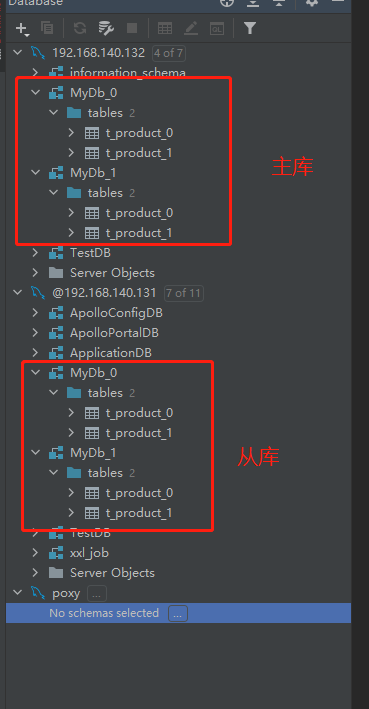
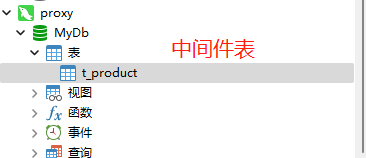
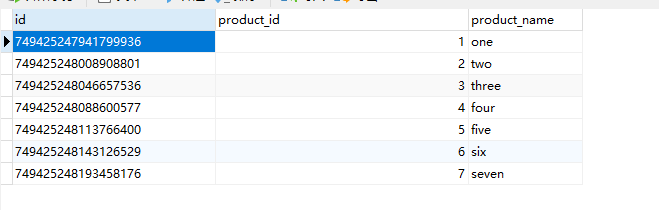
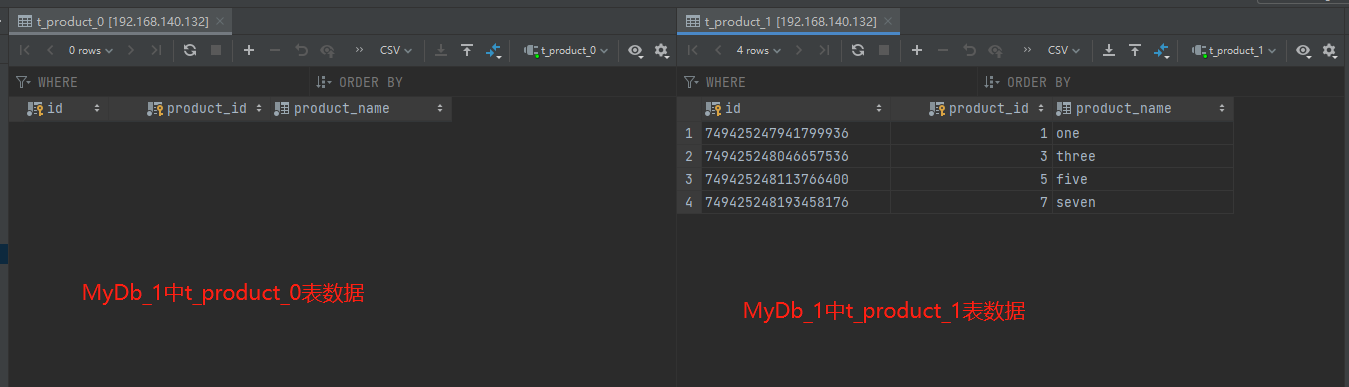
以下配置实现了:
1、分库分表
2、每一个分库的读写分离
3、读库负载均衡算法
4、雪花算法,生成唯一id
5、字段取模
## Licensed to the Apache Software Foundation (ASF) under one or more# contributor license agreements. See the NOTICE file distributed with# this work for additional information regarding copyright ownership.# The ASF licenses this file to You under the Apache License, Version 2.0# (the "License"); you may not use this file except in compliance with# the License. You may obtain a copy of the License at## http://www.apache.org/licenses/LICENSE-2.0## Unless required by applicable law or agreed to in writing, software# distributed under the License is distributed on an "AS IS" BASIS,# WITHOUT WARRANTIES OR CONDITIONS OF ANY KIND, either express or implied.# See the License for the specific language governing permissions and# limitations under the License.######################################################################################################## # Here you can configure the rules for the proxy.# This example is configuration of sharding rule.# ########################################################################################################schemaName: sharding_db##dataSources:# ds_0:# url: jdbc:postgresql://127.0.0.1:5432/demo_ds_0# username: postgres# password: postgres# connectionTimeoutMilliseconds: 30000# idleTimeoutMilliseconds: 60000# maxLifetimeMilliseconds: 1800000# maxPoolSize: 50# minPoolSize: 1# ds_1:# url: jdbc:postgresql://127.0.0.1:5432/demo_ds_1# username: postgres# password: postgres# connectionTimeoutMilliseconds: 30000# idleTimeoutMilliseconds: 60000# maxLifetimeMilliseconds: 1800000# maxPoolSize: 50# minPoolSize: 1##rules:#- !SHARDING# tables:# t_order:# actualDataNodes: ds_${0..1}.t_order_${0..1}# tableStrategy:# standard:# shardingColumn: order_id# shardingAlgorithmName: t_order_inline# keyGenerateStrategy:# column: order_id# keyGeneratorName: snowflake# t_order_item:# actualDataNodes: ds_${0..1}.t_order_item_${0..1}# tableStrategy:# standard:# shardingColumn: order_id# shardingAlgorithmName: t_order_item_inline# keyGenerateStrategy:# column: order_item_id# keyGeneratorName: snowflake# bindingTables:# - t_order,t_order_item# defaultDatabaseStrategy:# standard:# shardingColumn: user_id# shardingAlgorithmName: database_inline# defaultTableStrategy:# none:# # shardingAlgorithms:# database_inline:# type: INLINE# props:# algorithm-expression: ds_${user_id % 2}# t_order_inline:# type: INLINE# props:# algorithm-expression: t_order_${order_id % 2}# t_order_item_inline:# type: INLINE# props:# algorithm-expression: t_order_item_${order_id % 2}# # keyGenerators:# snowflake:# type: SNOWFLAKE# props:# worker-id: 123######################################################################################################## If you want to connect to MySQL, you should manually copy MySQL driver to lib directory.######################################################################################################## 连接mysql所使用的数据库名 schemaName: MyDb dataSources: dsdatasources_0: url: jdbc:mysql://127.0.0.1:3306/MyDb_0?serverTimezone=UTC&useSSL=false username: root # 数据库用户名 password: mysql123 # 登录密码 connectionTimeoutMilliseconds: 30000 idleTimeoutMilliseconds: 60000 maxLifetimeMilliseconds: 1800000 maxPoolSize: 50 minPoolSize: 1 dsdatasources_0_read0: url: jdbc:mysql://192.168.140.132:3306/MyDb_0?serverTimezone=UTC&useSSL=false username: root # 数据库用户名 password: Xiaohemiao_123 # 登录密码 connectionTimeoutMilliseconds: 30000 idleTimeoutMilliseconds: 60000 maxLifetimeMilliseconds: 1800000 maxPoolSize: 50 minPoolSize: 1 dsdatasources_1: url: jdbc:mysql://127.0.0.1:3306/MyDb_1?serverTimezone=UTC&useSSL=false username: root # 数据库用户名 password: mysql123 # 登录密码 connectionTimeoutMilliseconds: 30000 idleTimeoutMilliseconds: 60000 maxLifetimeMilliseconds: 1800000 maxPoolSize: 50 minPoolSize: 1 dsdatasources_1_read1: url: jdbc:mysql://192.168.140.132:3306/MyDb_1?serverTimezone=UTC&useSSL=false username: root # 数据库用户名 password: Xiaohemiao_123 # 登录密码 connectionTimeoutMilliseconds: 30000 idleTimeoutMilliseconds: 60000 maxLifetimeMilliseconds: 1800000 maxPoolSize: 50 minPoolSize: 1 # ds_1:# url: jdbc:mysql://127.0.0.1:3306/demo_ds_1?serverTimezone=UTC&useSSL=false# username: root# password:# connectionTimeoutMilliseconds: 30000# idleTimeoutMilliseconds: 60000# maxLifetimeMilliseconds: 1800000# maxPoolSize: 50# minPoolSize: 1## 规则 rules: - !READWRITE_SPLITTING dataSources: pr_ds1: writeDataSourceName: dsdatasources_0 #主库 readDataSourceNames: - dsdatasources_0_read0 # 从库,如果有多个从库,就在下面写多个 loadBalancerName: loadBalancer_ROUND_ROBIN pr_ds2: writeDataSourceName: dsdatasources_1 #主库 readDataSourceNames: - dsdatasources_1_read1 # 从库,如果有多个从库,就在下面写多个 loadBalancerName: loadBalancer_ROUND_ROBIN loadBalancers: # 负载均衡算法配置 loadBalancer_ROUND_ROBIN: # 负载均衡算法名称,自定义 type: ROUND_ROBIN # 负载均衡算法,默认为轮询算法,还有加权算法和随机算法,可参考官网 - !SHARDING tables: t_product: #需要进行分表的表名 actualDataNodes: dsdatasources_${0..1}.t_product_${0..1} # 表达式,将表分为t_product_0 , t_product_1 tableStrategy: #分表策略 standard: shardingColumn: product_id # 字段名 shardingAlgorithmName: t_product_MOD databaseStrategy: # 分库策略 standard: shardingColumn: product_id shardingAlgorithmName: t_product_MOD keyGenerateStrategy: column: id keyGeneratorName: snowflake #雪花算法# t_order_item:# actualDataNodes: ds_${0..1}.t_order_item_${0..1}# tableStrategy:# standard:# shardingColumn: order_id# shardingAlgorithmName: t_order_item_inline# keyGenerateStrategy:# column: order_item_id# keyGeneratorName: snowflake# bindingTables:# - t_order,t_order_item# defaultDatabaseStrategy:# standard:# shardingColumn: user_id# shardingAlgorithmName: database_inline# defaultTableStrategy:# none:# shardingAlgorithms: t_product_MOD: # 取模名称,可自定义 type: MOD # 取模算法 props: sharding-count: 2 #分片数量,因为分了两个表,所以这里是2# t_order_inline:# type: INLINE# props:# algorithm-expression: t_order_${order_id % 2}# t_order_item_inline:# type: INLINE# props:# algorithm-expression: t_order_item_${order_id % 2}# keyGenerators: snowflake: # 雪花算法名称,自定义名称 type: SNOWFLAKE props: worker-id: 123
-- 创建表SET NAMES utf8mb4;SET FOREIGN_KEY_CHECKS = 0;-- ------------------------------ Table structure for t_product-- ----------------------------DROP TABLE IF EXISTS `t_product`;CREATE TABLE `t_product` ( `id` varchar(225) CHARACTER SET utf8mb4 COLLATE utf8mb4_general_ci NOT NULL, `product_id` int(11) NOT NULL, `product_name` varchar(255) CHARACTER SET utf8mb4 COLLATE utf8mb4_general_ci NOT NULL, PRIMARY KEY (`id`, `product_id`) USING BTREE) ENGINE = InnoDB CHARACTER SET = utf8mb4 COLLATE = utf8mb4_general_ci ROW_FORMAT = Dynamic;SET FOREIGN_KEY_CHECKS = 1;-- 插入表数据INSERT INTO t_product(product_id,product_name) VALUES(1,'one');INSERT INTO t_product(product_id,product_name) VALUES(2,'two');INSERT INTO t_product(product_id,product_name) VALUES(3,'three');INSERT INTO t_product(product_id,product_name) VALUES(4,'four');INSERT INTO t_product(product_id,product_name) VALUES(5,'five');INSERT INTO t_product(product_id,product_name) VALUES(6,'six');INSERT INTO t_product(product_id,product_name) VALUES(7,'seven');