基于上一篇文章中的代码进行继续延伸,只需要小小的改动即可,不明白的地方可以先看看本人上一篇文章及源码: Identity Server 4客户端认证控制访问API
// 定义客户端认证方式 public static IEnumerable<Client> Clients => new[] { // 客户端认证 new Client { ClientId="sample_client", // 客户端id ClientSecrets = { new Secret("sample_client_secret".Sha256()) // 客户端秘钥 }, AllowedGrantTypes=GrantTypes.ClientCredentials, // 授权类型为客户端 AllowedScopes={ "sample_api" } // 设置该客户端允许访问的api范围 }, // 资源拥有者认证 new Client { ClientId="sample_pass_client", // 客户端id ClientSecrets = { new Secret("sample_client_secret".Sha256()) // 客户端秘钥 }, AllowedGrantTypes=GrantTypes.ResourceOwnerPassword, // 授权类型为资源拥有者 AllowedScopes={ "sample_api" } // 设置该客户端允许访问的api范围 } };

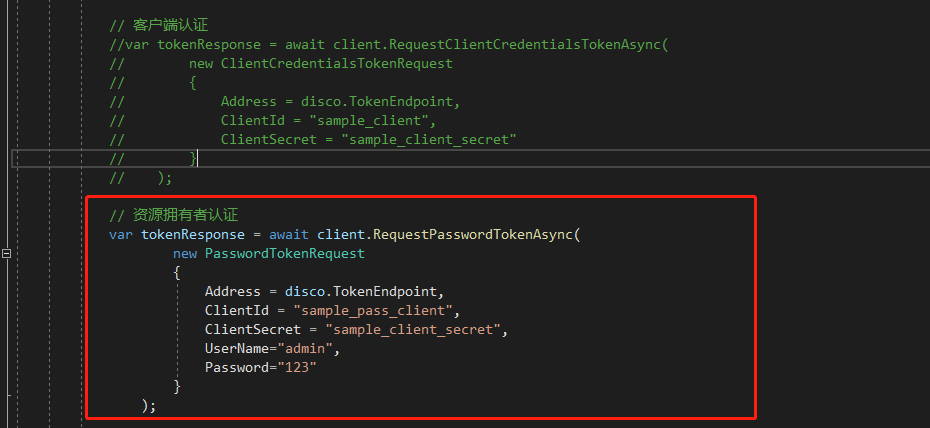
// 资源拥有者认证 var tokenResponse = await client.RequestPasswordTokenAsync( new PasswordTokenRequest { Address = disco.TokenEndpoint, ClientId = "sample_pass_client", ClientSecret = "sample_client_secret", UserName="admin", Password="123" } );
1、’postman模拟请求 http://localhost:5001/connect/token 获取token

2、使用token请求api

3、Client项目模拟客户端请求

学习链接:https://www.cnblogs.com/stulzq/p/7509648.html

